
Early access · Release date: October 22, 2026
UpdatedGroundwork Simulator Multiplayer: Co-Op Guide & Tips
Groundwork Simulator multiplayer lets you dig and haul with friends. Learn co-op roles, plan a mining site, and understand launch issues before you play.
Jump to
Does Groundwork Simulator Have Online Multiplayer?
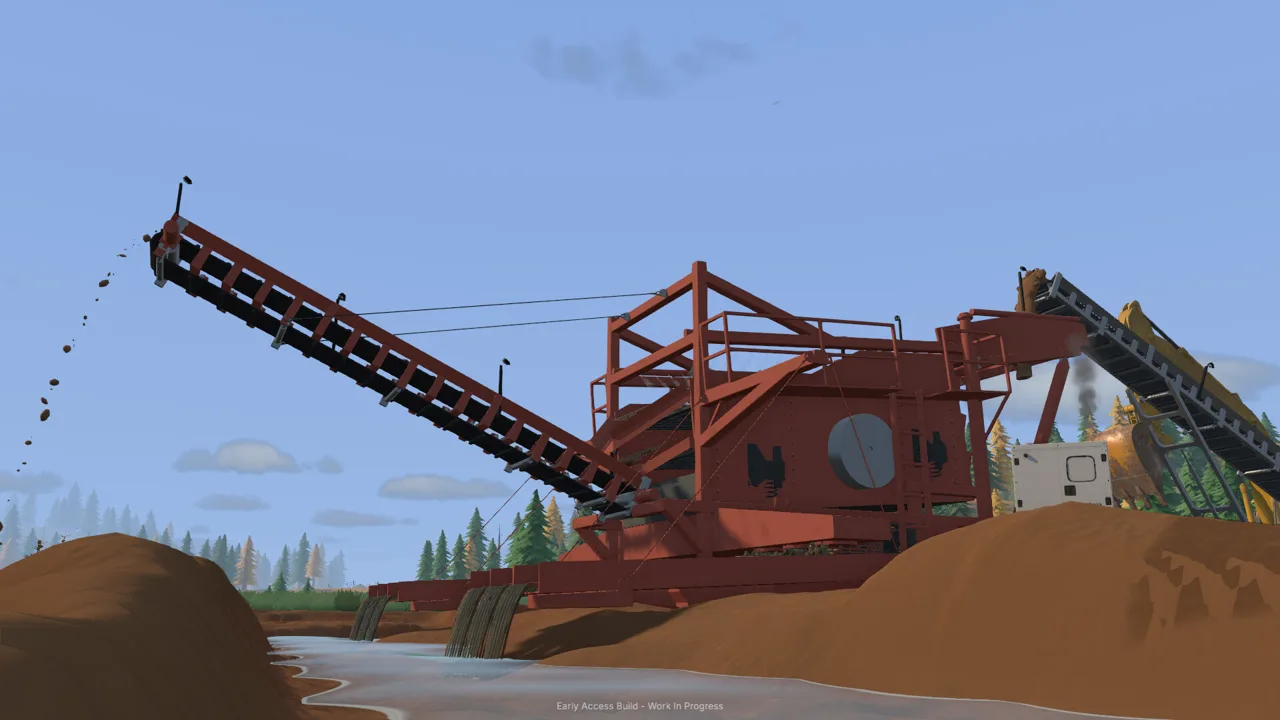
Groundwork Simulator multiplayer lets you share a gold-mining worksite and dig while a friend handles transport. That division matters because excavation, hauling, water supply, and processing all need attention as your operation grows. Groundwork Simulator multiplayer supports online co-op alongside solo play, so you can tackle the machinery yourself or coordinate the work with friends.
The game entered Early Access on October 22, 2026. Its cooperative setup centers on operating heavy equipment and moving material through a mining operation, from exploring promising ground to recovering gold.
| Feature | What you can do |
|---|---|
| Online co-op | Share the worksite and divide tasks with friends |
| Single-player | Run the operation yourself |
| Excavation | Dig trenches, cut hillsides, and create material piles |
| Gold processing | Use a wash plant, sluice boxes, and a shaking table |
| Equipment transport | Move heavy machinery by truck and trailer |
For your opening session, choose a shared objective: test some ground, establish a digging area, and get material moving toward the washing setup. Assign responsibilities before everyone starts repositioning equipment.
Keep the launch timing in mind when planning Groundwork Simulator multiplayer. As of October 23, startup crashes, control problems, and multiplayer joining trouble were among the early issues, with a patch being prepared.
Divide the Work Between Excavation and Transport
Groundwork Simulator multiplayer gives you a straightforward way to split the workload: take the excavator while your friend handles transport. Build your coordination around that handoff before trying to manage every machine and process at once.
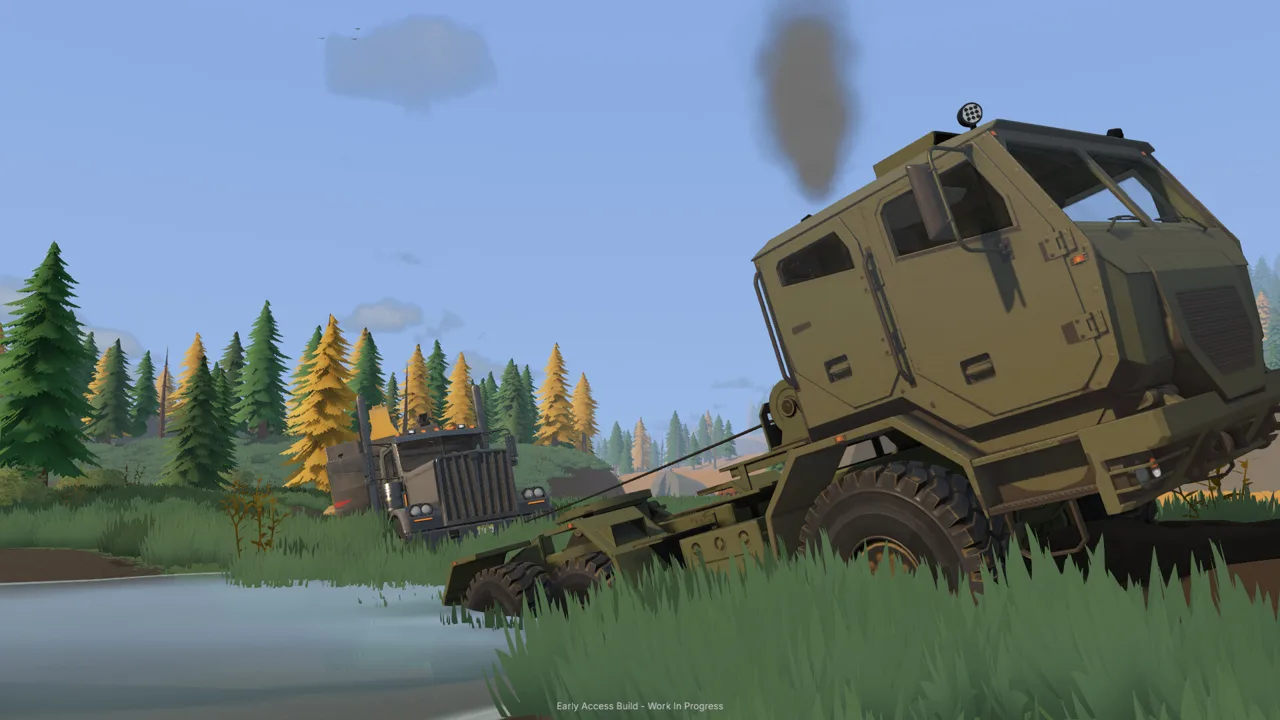 Image: Steam / XYZ STUDIO
The excavator changes the digging area with every scoop. Meanwhile, the transport player needs a usable approach, room to load, and a route back toward the processing equipment. Discuss those needs together before cutting deeply into a hillside.
Use the following division as a planning aid, and switch responsibilities when the worksite needs attention elsewhere.
| Responsibility | Equipment or system involved | Coordination tip |
|---|---|---|
| Excavation | Excavator | Agree on the digging face and loading position |
| Material movement | Transport vehicles and wheel loader | Keep the route between excavation and washing accessible |
| Water setup | Pumps and hoses | Plan connections around the equipment layout |
| Machinery relocation | Truck and trailer | Discuss the route and unloading area before departure |
These are suggested responsibilities, rather than character classes or assigned game roles. Trade jobs whenever you want to practice another machine.
Coordinate Each Loading Handoff
Choose a loading position that both operators can approach comfortably. Keep the transport vehicle’s exit route in mind while positioning the excavator, and tell your friend before changing the arrangement.
If hauling starts becoming awkward, inspect the route together. The digging area changes as material comes out, and piles can reshape the surrounding space. Adjust your layout before continuing to feed the same difficult approach.
Rotate operators occasionally, too. Excavation involves bucket angles, resistance, and hydraulic power, while transport demands attention to slopes, tight turns, and traction. Practice both sides of the job so either player can take over when the next task changes.
Plan the Terrain Before Digging Deeper
In Groundwork Simulator multiplayer, every bucket affects the ground your team will use afterward. A cut into a hillside can create a steeper approach; a growing pile can change how you reach the loading area.
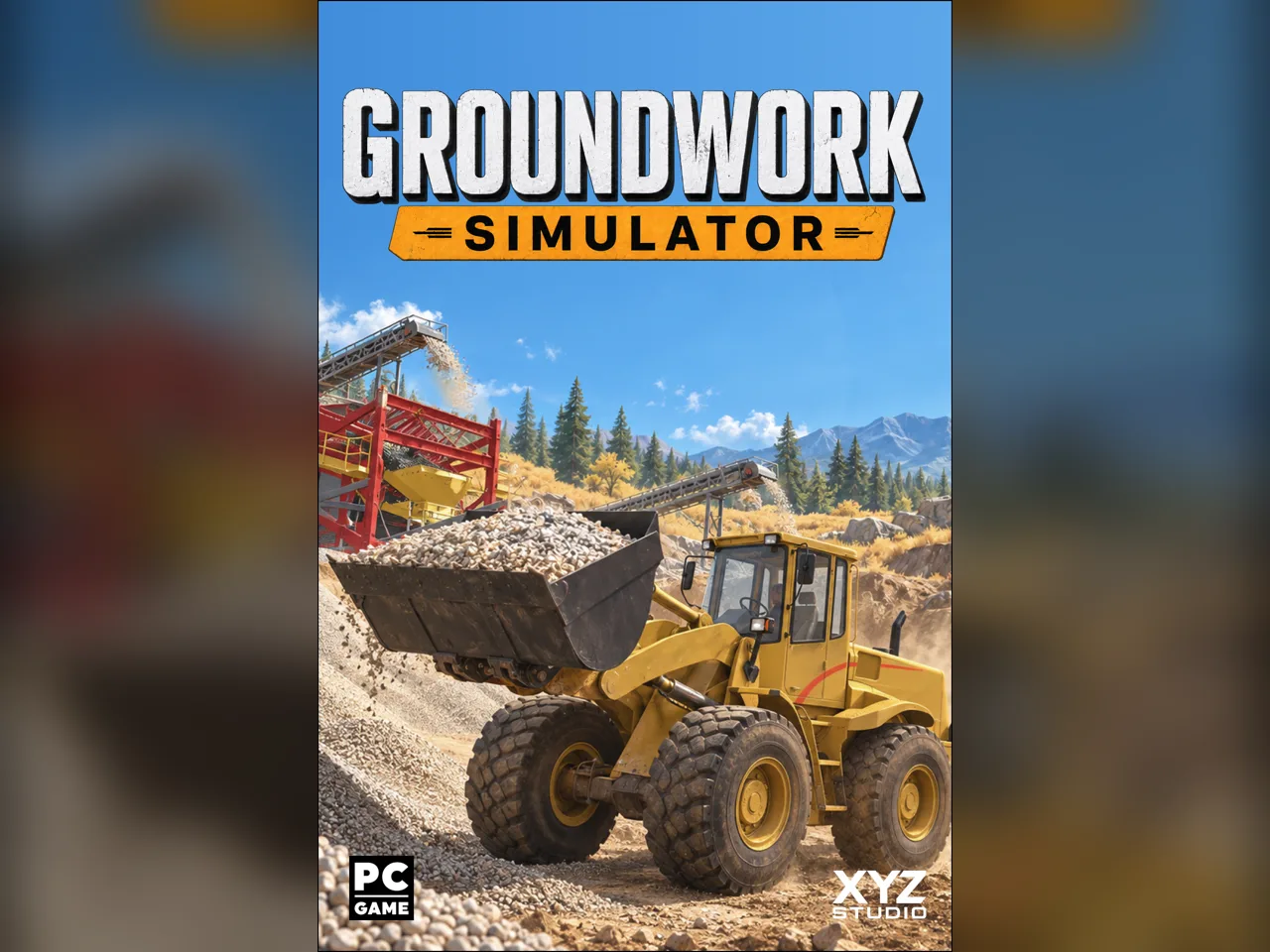 Image: groundworksimulator.com
Plan the worksite as a connected space. Give the excavator a working position, leave access for material transport, and consider where the wash plant will sit. Revisit that arrangement as excavation changes the landscape.
Keep Your Hauling Route Usable
Mud, rough ground, and slopes affect vehicle movement. Heavy loads add another reason to think carefully about the route between your digging area and processing equipment.
Before expanding a cut:
- Walk through the intended vehicle approach with your teammate.
- Choose material pile locations with the transport route in mind.
- Leave room to line up for loading and unloading.
- Inspect slopes before bringing heavy machinery through.
- Improve troublesome ground before returning to excavation.
Treat route preparation as part of the mining job. If your friend is struggling to move a loaded vehicle through the site, pause the digging and address the ground beneath the wheels.
Work With the Excavator’s Hydraulics
Excavation uses simulated hydraulic feedback and resistance. Your bucket angle and available hydraulic power affect how the machine cuts, fills, and lifts material.
Adjust your approach when the bucket meets resistance. Practice controlled cuts and pay attention to the machine’s response as the load builds. Coordinate with the transport operator so you have time to reposition without forcing an awkward handoff.
Prepare for Machinery Deliveries
Heavy equipment can travel on a trailer pulled by a truck. Loading alignment, tight corners, slopes, and rough terrain all matter when moving machinery between worksites.
Choose the unloading area before setting off. Discuss the approach with your teammate, and inspect tight sections before bringing the loaded trailer through. At the destination, leave a usable route from the trailer to the machine’s working position.
Connect Digging, Water, and Gold Processing
Groundwork Simulator multiplayer connects several jobs through one material flow. Digging supplies the operation, but the washing equipment also needs water, and concentrate still needs processing afterward.
 Image: Steam / XYZ STUDIO
Start by exploring and testing for gold deposits. Choose the digging location around that work, then arrange the equipment needed to move promising material through the washing setup.
| Stage | Equipment or action | Team planning tip |
|---|---|---|
| Explore | Drill and test for deposits | Agree on where to investigate |
| Establish the site | Choose the digging area and position the wash plant | Consider access between the two |
| Excavate | Remove promising material | Coordinate digging with transport |
| Wash | Move material through the washing setup and sluice boxes | Arrange the water supply |
| Process concentrate | Use the shaking table | Include processing in the shared workload |
Follow that sequence when planning your responsibilities. If both players focus entirely on excavation, pause and check what the washing operation needs before adding more material to the worksite.
Route Pumps and Hoses Around the Layout
Water reaches the washing operation through pumps and hoses. Equipment placement and connections therefore deserve attention alongside the digging and hauling plan.
Position the washing equipment with its water connections in mind. Discuss the hose route before moving nearby machinery into place, and review the connections whenever you expand the site.
As the operation grows, adapt the water setup to match it. Keep water supply on your shared task list so it receives the same attention as excavation and transport.
Match Your Next Job to the Worksite
Use the current condition of the operation to choose what to do next. If transport access is becoming difficult, work on the route. If the washing setup needs repositioning or water connections, coordinate that change before continuing excavation.
Keep your communication concrete: identify the machine, the location, and the next action. “I’m moving the loader toward the wash plant” gives your teammate something useful to plan around.
Build the session around those handoffs. Digging, hauling, water setup, and concentrate processing each contribute to the same gold-recovery workflow.
Prepare for Launch Issues and PC Requirements
Groundwork Simulator multiplayer launched during Early Access, and the developer was preparing a patch for initial problems shortly after launch. Further updates were also planned for the following days and weeks.
Startup crashes, control difficulties, and interface problems were affecting some launch sessions. One multiplayer joining issue prevented additional friends from entering after the host and one guest had connected.
Plan a short session with one friend before organizing a larger group. Check that you can both launch the game, connect, and operate the machinery before spending time coordinating a more involved mining session.
Check the Windows Hardware Requirements
The soil and water simulation places a substantial load on the CPU. Judge your PC against the hardware requirements alongside the game’s appearance.
| Component | Minimum Windows requirements | Recommended Windows requirements |
|---|---|---|
| Operating system | Windows 10, 64-bit | Windows 11, 64-bit |
| Processor | Intel Core i5-8400 / AMD Ryzen 5 2600 | Intel Core i5-12400 / AMD Ryzen 5 5600 |
| Memory | 16 GB RAM | 24 GB RAM |
| Graphics | NVIDIA GTX 1070, 8 GB VRAM | NVIDIA RTX 3060, 8 GB / AMD RX 6600, 8 GB |
| DirectX | Version 12 | Version 12 |
| Storage | 10 GB available space | 10 GB available space |
Check each player’s hardware before arranging the session. Keep the simulation’s CPU demands in mind when assessing a machine that appears capable based on graphics hardware alone.
Check Controls Before Committing to a Job
Launch control issues included linked loader and excavator bindings, particularly for raising and lowering the boom. Test both machines before settling into your assigned responsibilities.
Discuss control difficulties immediately. If a machine is responding awkwardly, pause the handoff and identify the problem before your teammate brings another vehicle into position.
For crashes or joining failures, record the action that preceded the problem and send a clear bug report through the developer’s channels. Include whether the crash happened at startup, during a menu interaction, or while joining a session.
Check for updates before your next Groundwork Simulator multiplayer session. Visit the Groundwork Simulator Steam page to get the game and follow its Early Access development.
FAQ
Does Groundwork Simulator multiplayer support online co-op?
Yes. Groundwork Simulator supports online co-op, allowing friends to share a worksite and divide excavation, transport, and other mining tasks. You can operate an excavator while a friend moves material between the digging area and washing equipment.
Can you play Groundwork Simulator solo?
Yes. Single-player lets you manage the operation yourself, including digging, hauling, equipment placement, water connections, and gold processing. Choose solo play when you want to practice machinery or work through the mining process at your own pace.
What can friends do together in co-op?
You can coordinate heavy machinery, move excavated material, arrange the washing operation, and reshape the worksite. Split excavation and transport between players, then adjust responsibilities when water setup, route preparation, or equipment relocation needs attention.
Why can’t another friend join an existing session?
A launch joining issue affected sessions already running with a host and one guest, preventing additional friends from connecting. Check for updates and report the failed joining attempt through the developer’s channels, including what happened when the additional player tried to enter.
Continue with
 Groundwork Simulator Review: Digging Into Gold MiningGroundwork Simulator review covering excavation, gold washing, online co-op, and PC requirements. Explore the machinery and plan your mining operation.
More in Guide

Groundwork Simulator Beginner Guide: Your First Gold
Use Groundwork Simulator beginner guide to set up water and power, handle heavy machinery, wash pay dirt, and sell your first gold. Start digging today.
Groundwork Simulator Controls: Dig, Drive, and Wash
Learn Groundwork Simulator controls for excavators, trucks, tools, and wash plants. Set up your keyboard, handle heavy equipment, and finish your cleanup.
Continue exploring
Groundwork Simulator Excavator Controls and Digging Tips
Master the Groundwork Simulator excavator with tips on controls, bucket angles, truck loading, terrain changes, and keeping your gold operation moving.
Groundwork Simulator Machinery Guide: Dig and Haul
Use this Groundwork Simulator machinery guide to master excavators, loaders, hauling, water pumps, and gold processing. Plan a smoother mining operation.
Join the community
Official channels for news, updates and player help: