
Early access · Release date: October 22, 2026
UpdatedGroundwork Simulator Review: Digging Into Gold Mining
Groundwork Simulator review covering excavation, gold washing, online co-op, and PC requirements. Explore the machinery and plan your mining operation.
Jump to
What Does Groundwork Simulator Offer?
Every bucket you dig changes the ground your next load has to cross. This Groundwork Simulator review examines why excavation, transportation, and gold processing belong in the same conversation: your worksite connects them all. If you want to understand the machinery, the mining workflow, and the hardware demands, this Groundwork Simulator review walks through the decisions that shape your operation.
Groundwork Simulator is an open-world heavy machinery simulation built around finding gold and developing a working excavation site. You operate excavators, wheel loaders, and bulldozers, move equipment between locations, and assemble the washing setup that processes excavated material.
The central attraction is the relationship between those jobs. Digging reshapes your access routes. Transport requires attention to slopes and traction. Gold washing needs equipment placement and a water supply. Each activity gives you another reason to think about the ground around your machines.
| Game detail | Groundwork Simulator |
|---|---|
| Developer and publisher | XYZ STUDIO |
| Release date | October 22, 2026 |
| Release format | Early Access |
| Platforms | Windows and macOS |
| Play modes | Single-player and online co-op |
| Main activities | Excavation, hauling, gold washing, and site preparation |
As an Early Access game, Groundwork Simulator makes its current feature set the relevant starting point. Focus your purchase decision on excavation, processing, transport, and cooperative site work.
Its design centers on operating a connected worksite. The gold gives your digging a purpose, while the machinery and terrain determine how you carry that work out. That combination is the defining point of this Groundwork Simulator review.
Excavation Turns the Landscape Into Part of the Job
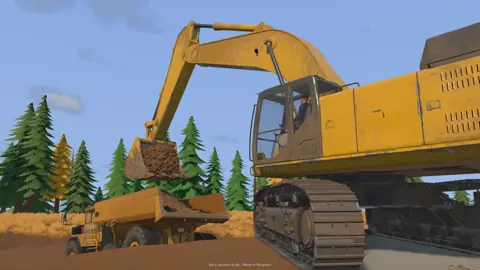
Terrain deformation gives excavation consequences beyond filling a bucket. You can cut into hillsides, dig trenches, and build piles, changing the shape of the area where your equipment operates.
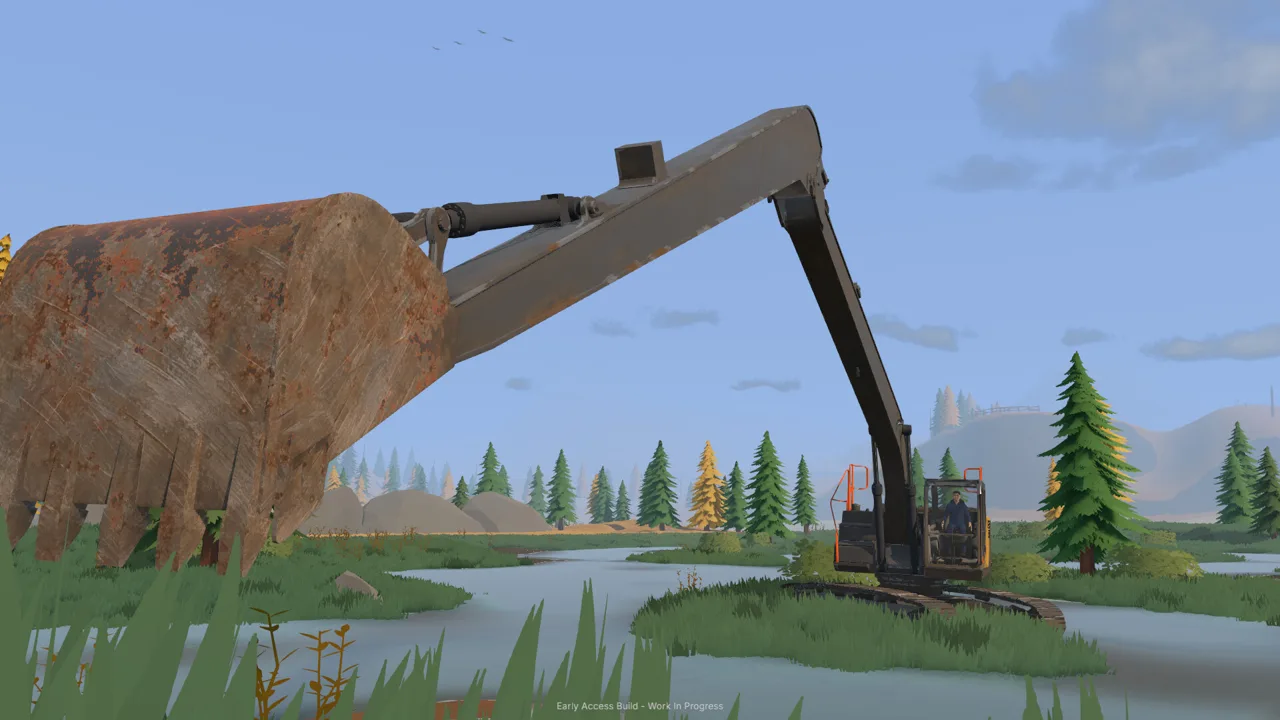 Image: Steam / XYZ STUDIO
That creates a practical planning problem. The ground beside an excavation is also space for maneuvering, hauling, and reaching the next cut. Think about how each scoop changes those relationships before committing to a digging direction.
For example, when cutting into a hillside, consider the approach your transport equipment will use afterward. Leave yourself room to reach the excavation and move material away. The useful question is whether the site still supports the work you intend to do next.
Work With the Bucket and Hydraulics
The excavation system includes simulated hydraulic feedback, resistance from the ground, and the weight of material accumulating inside the bucket. Bucket angle and available hydraulic power both matter when cutting and lifting.
Adjust your angle as you work into the terrain. Pay attention to how the machine responds while filling the bucket, then consider the lift as part of the same movement. Digging and extracting the load are connected actions.
| Excavation factor | What it affects | Planning tip |
|---|---|---|
| Bucket angle | How the bucket cuts into the ground | Adjust the approach to the cut |
| Hydraulic power | Cutting and lifting the load | Work within the machine’s available power |
| Terrain deformation | Slopes, piles, trenches, and routes | Preserve access around your excavation |
| Mud and rough ground | Traction and vehicle movement | Inspect the route before hauling |
| Heavy loads | Travel across slopes and difficult terrain | Choose your approach carefully |
The excavation detail matters to a Groundwork Simulator review because it establishes what operating the equipment involves. The game combines moving controls with responding to the material and terrain around the machine.
Treat site preparation as part of excavation. When the ground beneath your wheels becomes the obstacle, improve that ground before continuing the haul. The terrain system gives that supporting work a direct connection to the mining operation.
Gold Recovery Connects Exploration, Washing, and Water
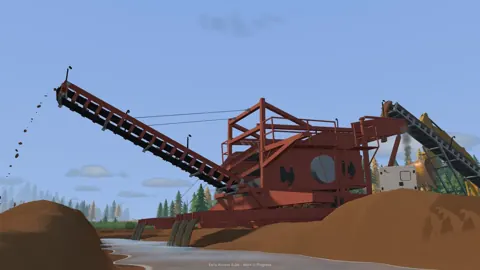
Gold recovery follows a chain of activities: explore, test the ground, choose a digging location, excavate material, and process it through the washing equipment.
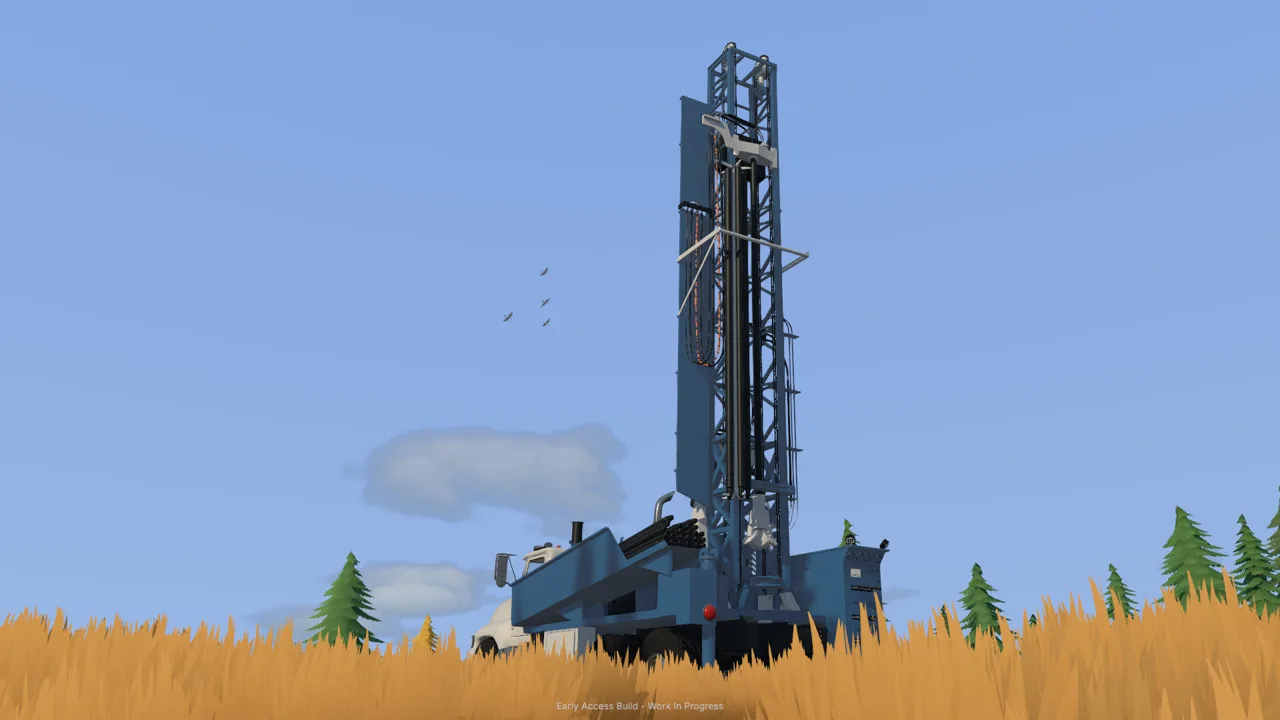 Image: Steam / XYZ STUDIO
Drilling and testing give exploration a practical role. Use those activities to investigate deposits before organizing your excavation around a particular spot. Then consider how the digging area will connect to the wash plant.
The processing equipment adds another layer. Material passes through sluice boxes, and the concentrate goes to a shaking table. Your attention therefore extends beyond the excavation face to the equipment that handles what you uncover.
| Mining stage | Activity | Equipment or system involved |
|---|---|---|
| Exploration | Search for gold-bearing ground | Drilling and deposit testing |
| Excavation | Dig material from the chosen location | Heavy machinery |
| Material movement | Carry excavated material across the site | Hauling equipment |
| Washing | Wash material through the processing setup | Wash plant and sluice boxes |
| Concentrate processing | Process the concentrate | Shaking table |
Read this sequence as the shape of the work rather than a rigid construction checklist. The layout of your site still needs to account for terrain, access, and water connections.
Plan the Water Supply Alongside the Plant
Pumps and hoses supply water to the washing operation. Equipment positioning and connection routes are part of establishing that supply, and the setup needs attention as the worksite expands.
Plan where the pumps, hoses, and washing equipment will sit together. Consider the connections while choosing equipment positions, then revisit the arrangement when your excavation moves or your working area grows.
Keep these questions in mind while laying out the site:
- Where will material arrive from the digging area?
- How will machines approach the washing equipment?
- Where will the water connections run?
- How will changes to the excavation affect those arrangements?
These are planning prompts grounded in the systems you manage, rather than a prescribed layout. Build around the terrain and the route between your active excavation and processing equipment.
The processing chain is central to this Groundwork Simulator review. It gives you several connected tasks to organize, with gold recovery tying together exploration, machine operation, and water management.
Solo Play, Online Co-op, and Heavy Equipment Transport
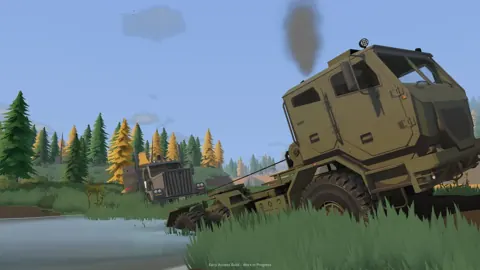
You can run the entire operation alone or divide responsibilities in online co-op. The same worksite supports both approaches: excavation, material movement, washing, and equipment transport remain the underlying activities.
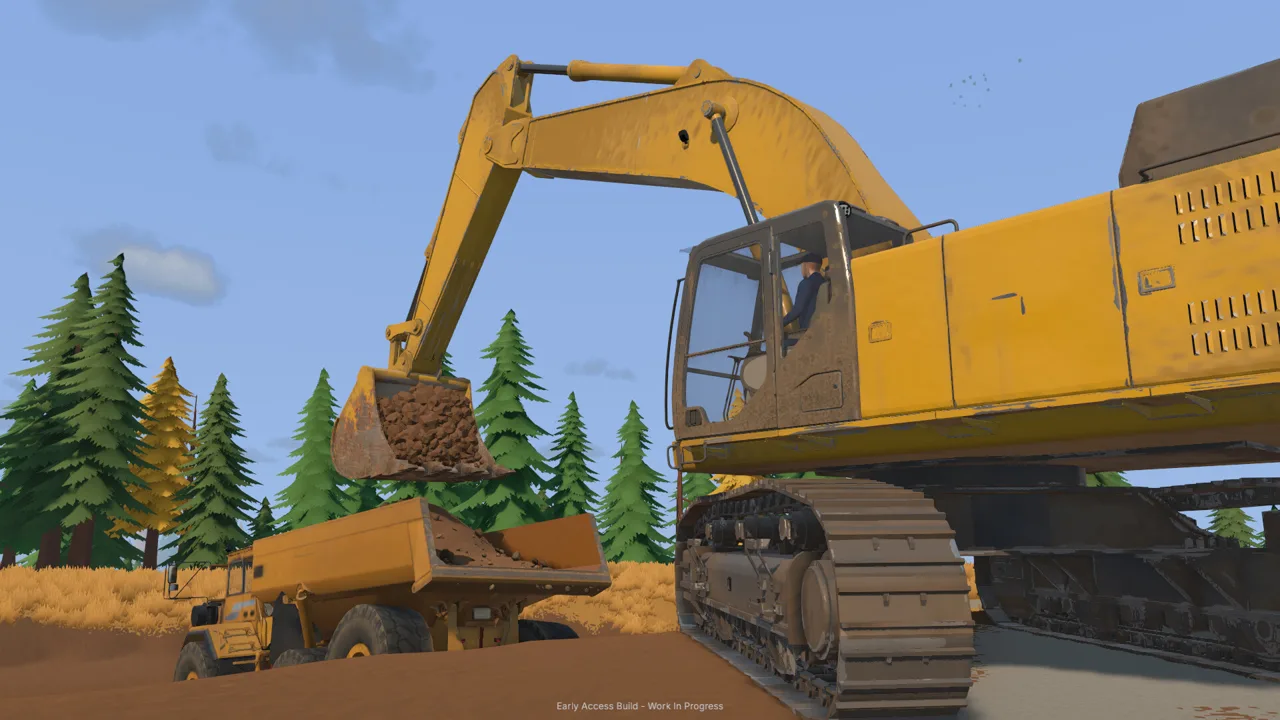 Image: Steam / XYZ STUDIO
Solo play puts those responsibilities in your hands. Plan the relationship between jobs before moving equipment around. Decide where you intend to dig, how material will travel, and where the washing setup needs its water supply.
Online co-op lets you share that workload. Take the excavator while a teammate handles transportation. Players can also coordinate material movement between the excavation and the wash plant.
Discuss the next task before moving machines. Agree on the active digging area, the hauling approach, and the equipment each person will handle. Keep those decisions tied to the current site layout as the terrain changes.
The cooperative element matters in a Groundwork Simulator review because it connects players through a shared operation. Excavating and hauling give players related responsibilities, with coordination built into the movement of material across the site.
Moving Machinery Is Its Own Task
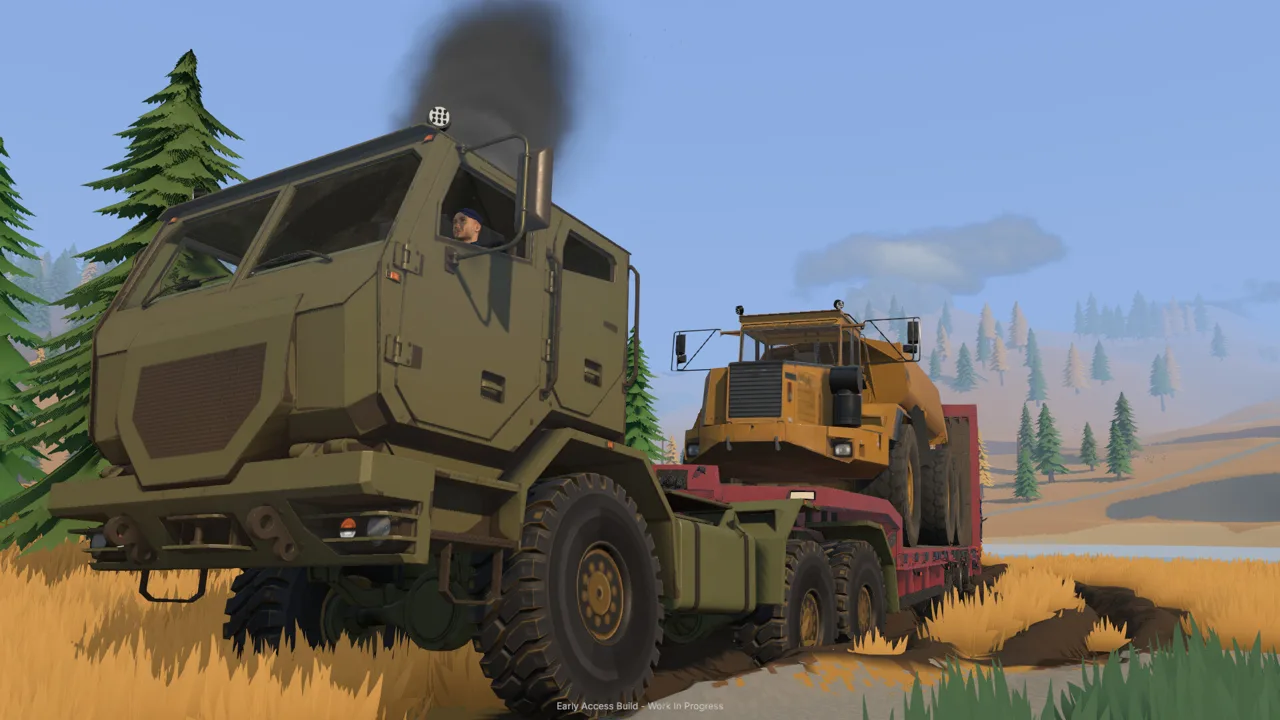
Heavy equipment travels between worksites on a trailer pulled by a truck. Loading alignment, route choice, tight turns, slopes, and uneven ground all play a part in getting the machinery to its destination.
Inspect the route before hauling a heavy load. Look at the turns and slopes between your loading area and the next worksite. Choose an unloading position that gives your equipment access to the job.
Pay attention to both ends of the trip. Loading gets the machine onto the trailer; unloading places it where you intend to work. Plan those positions together so transportation supports the excavation that follows.
Mud and rough ground add another consideration. When traction becomes a concern, assess the ground and your approach before continuing with the load. Moving machinery belongs in your site planning alongside digging and washing.
PC Requirements and Features to Consider Before Buying
Groundwork Simulator’s soil and water simulations place substantial demands on the CPU. Its hardware requirements deserve attention even if you usually judge a simulator by its visual complexity.
The Windows minimum calls for 16 GB of RAM and an Intel Core i5-8400 or AMD Ryzen 5 2600. Recommended memory rises to 24 GB, paired with an Intel Core i5-12400 or AMD Ryzen 5 5600.
| Component | Minimum Windows requirements | Recommended Windows requirements |
|---|---|---|
| Operating system | Windows 10, 64-bit | Windows 11, 64-bit |
| Processor | Intel Core i5-8400 / AMD Ryzen 5 2600 | Intel Core i5-12400 / AMD Ryzen 5 5600 |
| Memory | 16 GB RAM | 24 GB RAM |
| Graphics | NVIDIA GTX 1070, 8 GB VRAM | NVIDIA RTX 3060, 8 GB / AMD RX 6600, 8 GB |
| DirectX | Version 12 | Version 12 |
| Available storage | 10 GB | 10 GB |
Compare your processor and memory alongside your graphics card. The CPU workload is a meaningful part of this Groundwork Simulator review because excavation and water simulation sit at the center of the game.
Groundwork Simulator also supports adjustable difficulty, saving at any time, custom volume controls, and play without timed input. Those features give you ways to manage the pace and presentation while handling the site’s connected tasks.
For the purchase decision, start with the actual work: shaping terrain, operating machinery, transporting heavy equipment, supplying water, and processing material for gold. Consider whether those activities are what you want to spend your sessions doing.
Then check your hardware against the requirements and decide whether you intend to manage the site alone or share the work. You can view Groundwork Simulator on Steam to purchase the game.
FAQ
What is the main takeaway from this Groundwork Simulator review?
Groundwork Simulator combines deformable terrain, heavy equipment operation, gold processing, and site logistics. Its defining feature is how those activities connect: excavation changes the ground, transportation moves equipment and material, and washing requires a functioning water setup.
Does Groundwork Simulator support online co-op?
Yes. You can play alone or share a worksite in online co-op. Players can divide tasks such as excavating and transporting material, then coordinate movement between the digging area and the wash plant.
How do you recover gold in Groundwork Simulator?
Explore and test the ground for deposits, select a digging location, and excavate promising material. The processing workflow uses a wash plant, sluice boxes, and a shaking table, with pumps and hoses supplying water to the washing operation.
Is Groundwork Simulator available on Mac?
Yes. Groundwork Simulator supports Windows and macOS. The Windows requirements include 16 GB of RAM at minimum and 24 GB recommended, with detailed soil and water physics contributing to the CPU workload.
Continue with
 Groundwork Simulator Beginner Guide: Your First GoldUse Groundwork Simulator beginner guide to set up water and power, handle heavy machinery, wash pay dirt, and sell your first gold. Start digging today.
More in Guide
Groundwork Simulator Controls: Dig, Drive, and Wash
Learn Groundwork Simulator controls for excavators, trucks, tools, and wash plants. Set up your keyboard, handle heavy equipment, and finish your cleanup.
Groundwork Simulator Multiplayer: Co-Op Guide & Tips
Groundwork Simulator multiplayer lets you dig and haul with friends. Learn co-op roles, plan a mining site, and understand launch issues before you play.
Continue exploring
Join the community
Official channels for news, updates and player help: