
Early access · Release date: October 22, 2026
UpdatedGroundwork Simulator Wash Plant: Setup to Gold Guide
Set up your Groundwork Simulator wash plant, connect water and power, manage conveyor feed, and turn sluice concentrate into gold with a practical guide.
Jump to
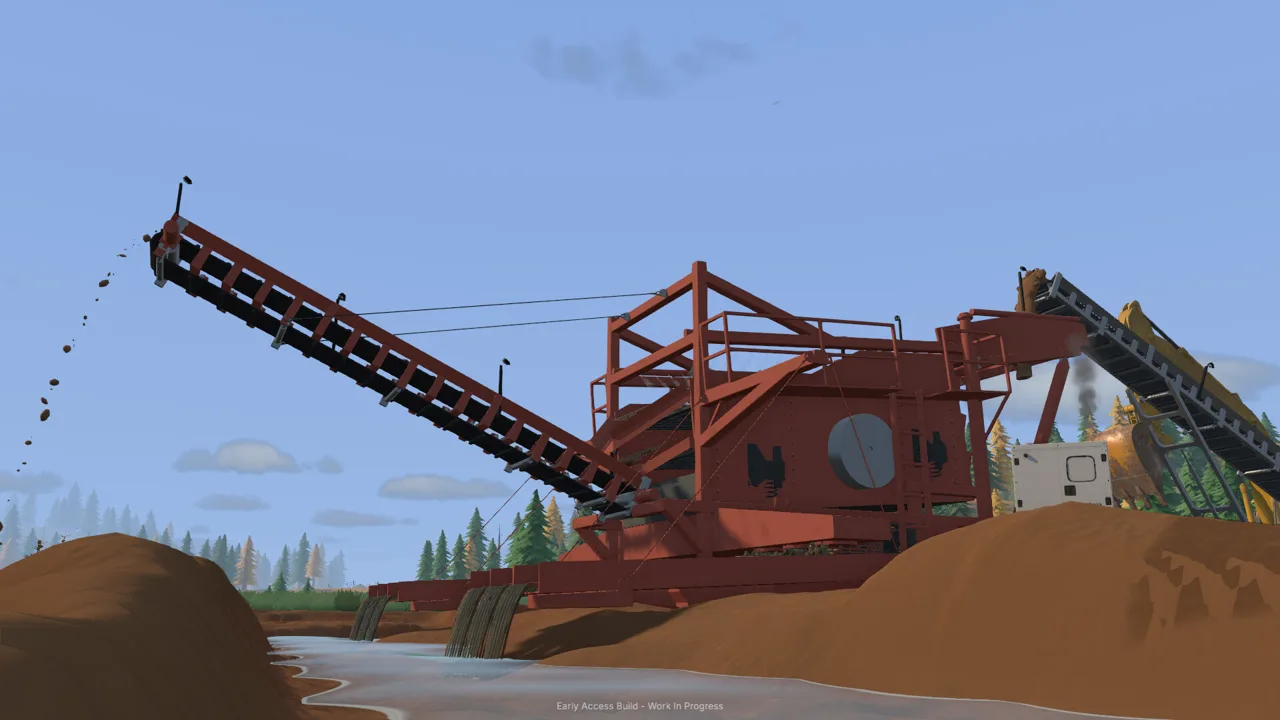
How Does the Groundwork Simulator Wash Plant Work?
Your next bucket of dirt needs a working processing line before it can become gold. The Groundwork Simulator wash plant connects excavation to recovery through water, power, conveyor feeding, and sluice cleanup. Get your Groundwork Simulator wash plant running in the right order, and you can follow material from the digging face to a finished gold jar.
The mining loop has several separate jobs. You excavate promising ground, transport the material, feed the washing equipment, and collect concentrate from the sluice boxes. That concentrate then goes to the cleanup table for further separation.
| Stage | Equipment involved | What happens |
|---|---|---|
| Excavation | Excavator | Dig material from your chosen cut |
| Transport | Dump truck | Move excavated dirt toward the washing area |
| Feeding | Wheel loader and small conveyor | Transfer stockpiled material into the plant |
| Washing | Mobile trommel and sluice boxes | Process dirt and retain concentrate |
| Cleanup | Shaking table | Separate gold from the remaining concentrate |
This guide follows the starting mobile trommel setup in the October 2026 Early Access release. Its tutorial walks you through the complete chain, including the holding pond, generator trailer, conveyor positioning, and gold storage.
Keep each stage connected to the next. A loaded conveyor still needs a running trommel, and washed concentrate still needs cleanup before you collect the finished gold. When something stops moving, trace the material through the operation instead of immediately hauling another truckload.
Official page: Groundwork Simulator (store.steampowered.com)
Connect the Water Supply and Generator
Water setup comes before digging in the starting tutorial. The claim uses two pumps: one brings river water into a holding pond, while the other supplies the trommel from that pond.
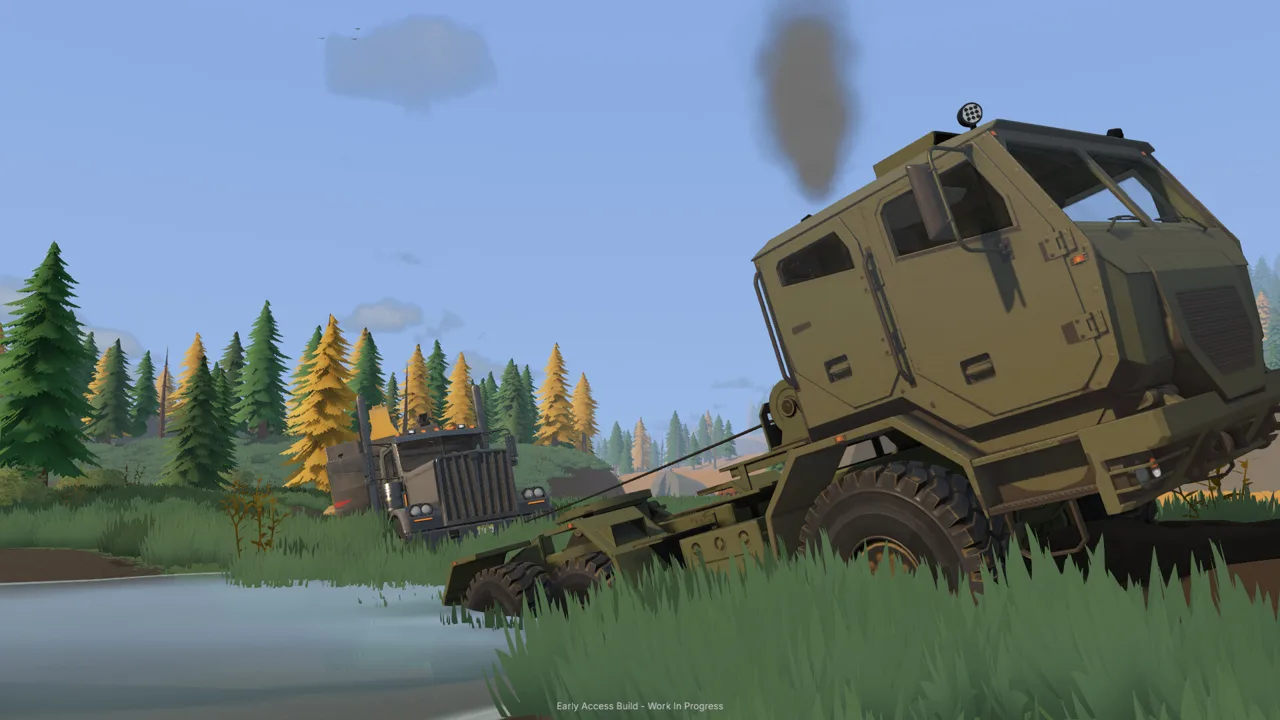 Image: Steam / XYZ STUDIO
Follow the tutorial markers closely when placing hose ends. Connecting a hose to a pump and placing its other end are separate actions.
| Component | Intake or starting point | Output or destination |
|---|---|---|
| Pump one | River | Holding pond |
| Holding pond | Water delivered by pump one | Intake supply for pump two |
| Pump two | Holding pond | Trommel water connection |
| Generator trailer | Positioned near the plant | Power available to the trommel |
Run the river-to-pond line
Walk to pump one beside the river. Its lower fitting draws water into the pump, and its upper fitting sends water out.
- Use the left mouse button on the intake fitting.
- Place the intake hose end in the river.
- Select the output fitting.
- Run the discharge hose to the marked holding pond.
- Press E at the pump switch to start it.
The pond fills while you continue preparing the machinery. Check its level as you work; leaving the river pump running can overflow the pond and flood the surrounding claim.
Once water spreads across the site, shutting down the pond-to-trommel pump does not stop the river supply. Turn off pump one to stop adding water to the pond.
Supply the trommel
At pump two, place the intake hose in the holding pond and connect the output hose to the trommel’s water fitting. Start the pump with E at its switch.
For your Groundwork Simulator wash plant, follow both hose routes before moving on. Check that the river line reaches the pond and that the second line reaches the machine.
Position and start the generator
The tutorial directs you to obtain a generator trailer through the Machine Dealer and position it using machine transport. Place it in the marked area near the trommel.
Stand near the generator’s controls and press G to start it. The control interaction is near the front of the trailer, so move around the machine if you are standing beside it without reaching the correct spot.
Finish the water and power setup before loading the conveyor. That gives you a ready processing line when the dirt arrives.
Prepare the Trommel and Move Pay Dirt
The starting mobile trommel arrives folded for transport. Stand near its controls and press K to deploy it.
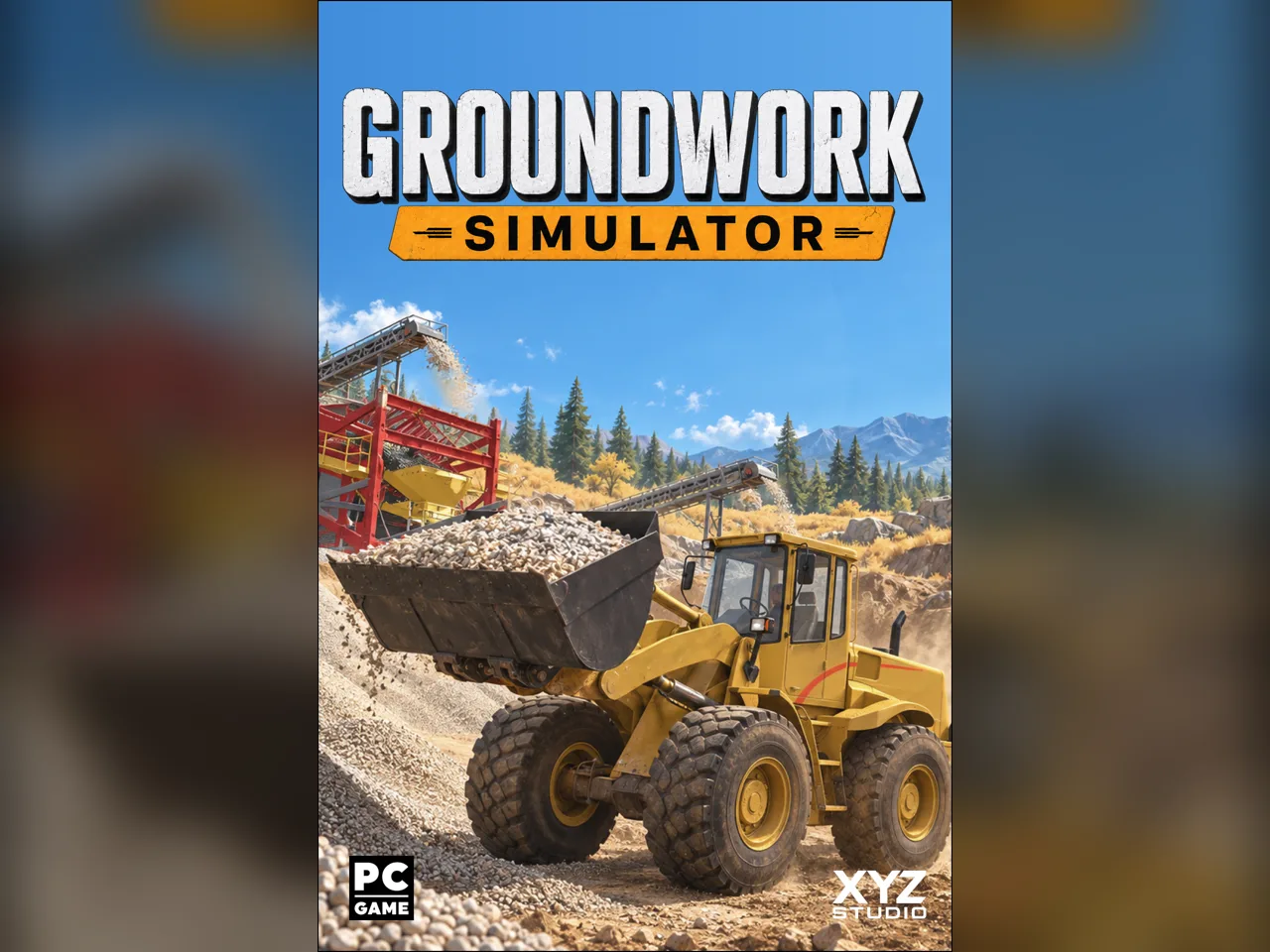 Image: groundworksimulator.com
Next, take control of the small conveyor using E at its control box. Position and raise it so the discharge end feeds into the trommel’s receiving area. Check the alignment from the side before leaving the controls.
Give the wheel loader room to approach the conveyor hopper, dump, and reverse. Keep the stockpile accessible, too. Parking the dump truck between the dirt pile and hopper adds maneuvering to every loader trip.
Excavate, haul, and stockpile
The starting tutorial uses an excavator, dump truck, and wheel loader in sequence:
- Dig inside the marked starting cut.
- Load the dump truck with excavated material.
- Drive to the marked stockpile area beside the gravel path.
- Raise the truck bed to unload.
- Move the truck clear of the loader’s working area.
- Scoop the loose stockpile with the wheel loader.
- Raise and tip the loader bucket into the conveyor hopper.
Watch the truck’s load display rather than judging capacity entirely by appearance. When unloading, move forward if the accumulating pile prevents the remaining dirt from leaving the bed.
Keep the loader bucket level as you approach the stockpile, then curl it back and lift after scooping. Pay attention to where the cutting edge meets the ground: terrain deformation means a misplaced pass can disturb your working route.
Test the ground you plan to process
Your Groundwork Simulator wash plant handles the washing stage, but choosing the material begins at the digging area. The starting instructions point you toward darker gravel and low spots.
Use the material detector for shallow scanning when the tutorial introduces it. The drill truck samples deeper layers, and completed boreholes provide depth and gold-bearing information on the Gold Map.
Compare those results before expanding your excavation. Keep the first cut manageable, then use what you learn to choose where the next truckload comes from. Excavation changes slopes and access routes, so leave room for the machinery that must return.
Start the Plant Before Feeding the Conveyor
The startup order matters: run the trommel’s drum and spray bar before starting the belt that delivers dirt.
 Image: Steam / XYZ STUDIO
Stand at the trommel controls and press G. Once the washing equipment is running, go to the small conveyor controls and press G to start feeding material.
The Groundwork Simulator wash plant has separate controls for the processing equipment and conveyor. If the belt moves but the trommel is stopped, return to the plant controls and start the washing stage.
| What you notice | What to check | What to do |
|---|---|---|
| Setup has not reached the digging stage | Water connections and generator | Complete the marked water and power steps |
| Conveyor feeds toward a stopped trommel | Drum and spray bar | Start the trommel before continuing feed |
| Material accumulates in the receiving hopper | Conveyor speed and hopper amount | Reduce feed speed as the hopper fills |
| Pond water spreads across the claim | River pump | Shut off pump one |
| Feed is finished but material remains inside | Plant’s remaining material display | Let processing finish before stopping the trommel |
Match feeding to the plant’s progress
The small conveyor has an adjustable speed. Launch gameplay includes operation at 65% and 100%, with the faster setting transferring dirt more quickly and increasing material in the trommel’s receiving hopper.
Use the hopper display to guide adjustments. Reduce conveyor speed if material keeps accumulating, and watch whether the receiving amount settles down.
Avoid treating a full-speed belt as the goal. Follow the dirt through the line and keep track of what the trommel still needs to process.
Keep the route usable
As you repeat loads, reassess the stockpile and driving lanes. A growing pile, an awkwardly parked truck, or a new excavation edge can change the loader’s approach.
In online co-op, divide excavation and transport between players, then coordinate deliveries with the person handling the wash line. Call out when you are stopping feed for cleanup so another load does not arrive in the middle of shutdown.
Shut Down, Clean the Sluices, and Collect Gold
A Groundwork Simulator wash plant run continues after the conveyor hopper empties. Material already inside the trommel still needs processing, and the sluices must be emptied after the plant stops.
Follow the remaining material display through the end of the batch.
| Cleanup stage | Action | Control in the starting tutorial |
|---|---|---|
| End feeding | Stop the small conveyor | G at conveyor controls |
| Finish washing | Let remaining material process, then stop the trommel | G at trommel controls |
| Empty sluices | Interact beside a sluice box | E |
| Move concentrate | Carry the cleanup pallet to the table’s drop zone | G to pick up and place |
| Run cleanup | Start the cleanup table | E while looking at the table |
| Collect and store gold | Collect the jar, then place it in storage | E, followed by E again |
Finish the batch before emptying the sluices
Stop the conveyor when feeding finishes. Let the trommel process what remains, then stop it at its controls.
Walk alongside a sluice box and press E to empty the concentrate. Find the cleanup pallet near the plant, pick it up with G, and carry it to the marked drop zone at the cleanup table.
Place the pallet before starting the table. Keep the route between the sluices and cleanup tent clear so you can carry concentrate directly across.
Run the cleanup table
The starting cleanup table processes concentrate at 125 grams per hour of in-game time. That processing rate is separate from the weight of finished gold you collect.
Look at the table and press E to begin. The tutorial then directs you to open Settings, enter General, and increase time speed to 120× while cleanup runs. Wait until the concentrate has finished processing before collecting the gold.
Check the time setting afterward before returning to machinery work.
Store gold before selling it
Look at the finished gold jar and press E to collect it. Press E again to place it in storage. Then open Gold Prices to sell the stored gold.
Early cleanups include jars of approximately 61 grams and 57 grams; those are separate batch results. Read the finished jar amount and sale total each time you process a load.
Before leaving the Groundwork Simulator wash plant, check the river pump again. A completed cleanup is an easy moment to overlook water still flowing into the holding pond.
FAQ
What does the Groundwork Simulator wash plant need to run?
The starting mobile trommel needs deployment, water supplied through the pump system, and a nearby running generator. Its drum and spray bar must run before the conveyor feeds dirt.
Why is my holding pond overflowing?
Pump one continues transferring river water into the pond while it runs. Switch it off at the river to stop the inflow.
How do you collect gold from the sluice boxes?
Stop feeding, finish processing the remaining material, and stop the trommel. Empty the sluices with E, carry the concentrate pallet to the cleanup table, and process it before collecting the gold jar.
Does the cleanup table produce 125 grams of gold per hour?
The 125 grams per hour figure describes concentrate processing. Collect the completed jar to see the finished gold amount, then put it in storage before selling it.
Continue with
 Groundwork Simulator Drilling: Find Gold Before You DigMaster Groundwork Simulator drilling with DR64 controls, borehole tips, and Gold Map advice. Find promising layers before moving your mining equipment.
More in Mining
Groundwork Simulator Gold Mining: From Dirt to Payday
Master Groundwork Simulator gold mining with tips for water pumps, excavation, wash plants, cleanup, and drilling. Build your claim and recover more gold.
Groundwork Simulator Mining Guide: Dig, Wash, Profit
Find deposits, set up water, dig and haul pay dirt, then wash it and clean up concentrate. Finish the opening tutorial before expanding your operation.
Groundwork Simulator Shaking Table: Gold Cleanup Guide
Use the Groundwork Simulator shaking table to process concentrate, collect gold, and prepare it for sale. Follow cleanup steps and avoid common mistakes.
Groundwork Simulator Sluice Box: Wash and Recover Gold
Get your Groundwork Simulator sluice box running with pump setup, conveyor controls, safe shutdown steps, and a clear walkthrough from pay dirt to gold.
Join the community
Official channels for news, updates and player help: