
Early access · Release date: October 22, 2026
UpdatedGroundwork Simulator Shaking Table: Gold Cleanup Guide
Use the Groundwork Simulator shaking table to process concentrate, collect gold, and prepare it for sale. Follow cleanup steps and avoid common mistakes.
Jump to
What Does the Groundwork Simulator Shaking Table Do?
The Groundwork Simulator shaking table turns washed concentrate into clean gold you can collect. This cleanup stage connects a productive wash plant to gold you can actually record and sell. Learning the Groundwork Simulator shaking table workflow helps you finish each load without leaving its value sitting beside the sluice boxes.
The equipment is also called the cleanup table during the PC launch tutorial. You bring it a cleanup pallet, start processing, wait for the concentrate to finish, and collect the resulting gold jar. After recording the gold in storage, you can sell it through the Gold Prices menu.
The important distinction is between washing dirt and cleaning concentrate. Your excavator, truck, loader, conveyor, and wash plant handle the bulk material. The shaking table handles the concentrate recovered from the sluice boxes.
| Stage | Material or equipment involved | What happens |
|---|---|---|
| Exploration | Surface scanner and drill truck | Check ground and investigate deposits |
| Excavation and hauling | Excavator and dump truck | Dig material and move it toward the washing area |
| Washing | Conveyor, trommel, and sluice boxes | Wash pay dirt and accumulate concentrate |
| Cleanup | Pallet and shaking table | Process concentrate into clean gold |
| Collection and sale | Gold jar, storage, and Gold Prices menu | Record the recovered gold and sell it |
Think through that sequence whenever you stop working for the day. A loaded truck still needs unloading, washed material still needs cleanup, and a finished jar still needs recording before sale.
Official page: Groundwork Simulator (store.steampowered.com)
Prepare the Wash Plant Before Cleanup
The Groundwork Simulator shaking table sits downstream from your washing operation, so begin by getting material through the plant correctly.
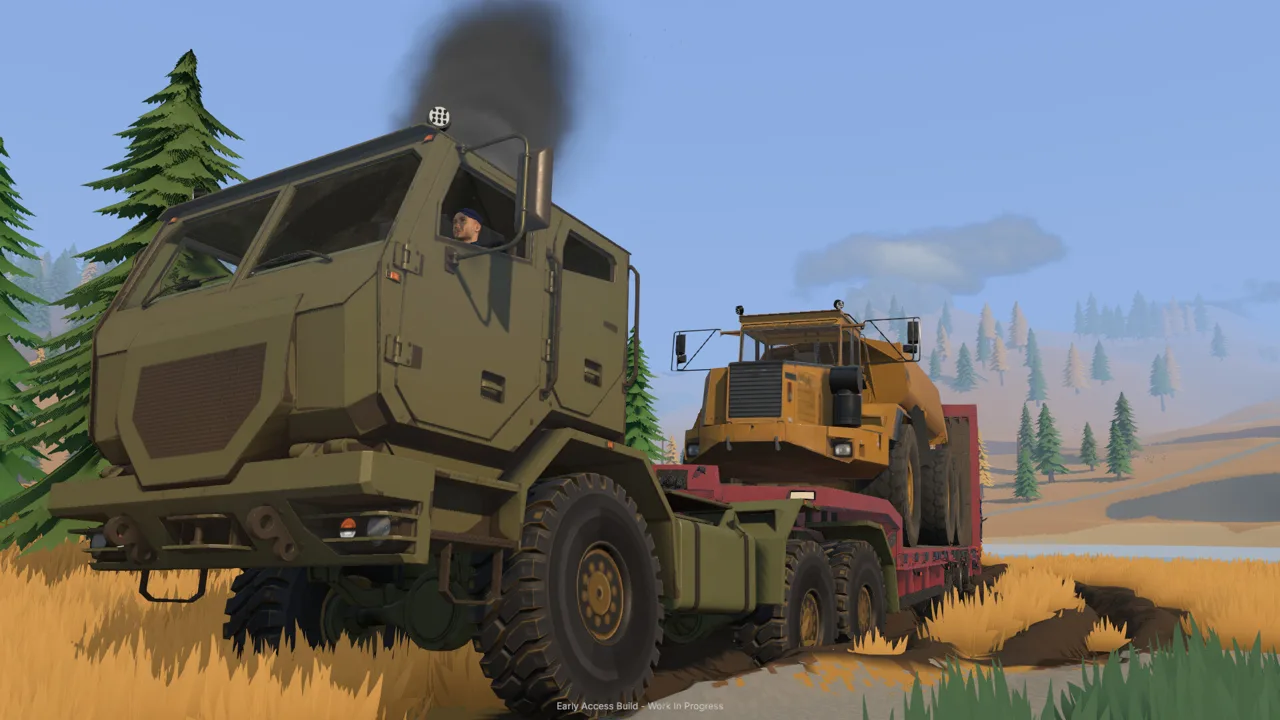 Image: Steam / XYZ STUDIO
In the opening tutorial, the water supply uses two pumps. One draws from the river and discharges into a pond. The other draws from that pond and supplies the mobile trommel. A nearby generator provides the power needed for the trommel.
Keep those jobs separate in your head. Filling the pond and supplying the wash plant are different parts of the water system.
| Equipment | Setup or action | What to watch |
|---|---|---|
| River pump | Connect its intake to the river and discharge to the pond | The pond continues filling while the pump runs |
| Plant supply pump | Connect the pond intake and trommel supply hose | Complete the water line before washing |
| Generator | Position it near the trommel and start it | Stand near its control area |
| Small conveyor | Position its discharge over the trommel intake | Align the belt before feeding material |
| Trommel | Start it before the loaded conveyor | The drum and spray bar should be running |
Use the excavator to load the dump truck, unload beside the washing area, and carry that stockpile into the conveyor hopper with the wheel loader. Leave room to approach the pile and reverse away. Parking across the loader’s path adds unnecessary maneuvering to every scoop.
Start the trommel before starting the conveyor. The tutorial specifically walks through that order so the belt feeds an operating wash plant.
Finish the load before emptying the sluices
When the conveyor has finished delivering material, stop the belt. Allow the remaining material in the plant to finish processing, then stop the wash plant before emptying the sluice boxes.
Avoid using an empty conveyor as your only signal that washing is complete. Material can still remain in the trommel after the feed belt runs out.
Follow this shutdown sequence:
- Finish feeding the load.
- Stop the conveyor.
- Wait for the wash plant’s remaining material to finish.
- Stop the wash plant.
- Empty the sluice boxes.
That gives you a clear handoff from washing to cleanup.
Move the Concentrate to the Cleanup Table
Once the wash plant has stopped, walk beside the sluice boxes and press E to empty them. The recovered concentrate becomes available on a cleanup pallet.
 Image: Steam / XYZ STUDIO
Look for the pallet near the plant, pick it up with G, and carry it to the cleanup tent. Place it in the table’s marked drop zone with G.
The Groundwork Simulator shaking table workflow involves two separate interactions: delivering the pallet and starting the table. Setting the pallet down does not replace the start command.
| Action | PC tutorial control | Where to use it |
|---|---|---|
| Empty the sluice boxes | E | Beside the stopped plant’s sluice boxes |
| Pick up the cleanup pallet | G | At the pallet containing the concentrate |
| Place the cleanup pallet | G | At the cleanup table’s marked drop zone |
| Start cleanup | E | While looking at the table |
| Collect the finished gold | E | While looking at the gold jar |
| Record the gold in storage | E again | After collecting the jar |
Use the marked placement area instead of dropping the pallet somewhere nearby. The tutorial directs you to the table’s drop zone, making that your target when positioning the load.
If you lose track of the next step, check what you are carrying and where you are looking. Pallet handling uses G; starting the table and collecting the jar use E.
Keep the route through the worksite open
Leave a clear walking route between the sluices and cleanup tent. Park the loader and dump truck outside that route when their jobs are finished.
Terrain changes matter here, too. Excavation reshapes the site, and dumped material builds piles where you unload it. Keep your stockpile accessible without spreading it across every approach to the washing equipment.
In co-op, divide excavation and transport work so machinery keeps moving between the digging area and wash plant. Coordinate cleanup with the person managing the plant: empty the sluices after washing has stopped, then carry the concentrate over for processing.
Run the Table, Collect the Jar, and Sell the Gold
With the pallet positioned, look at the table and press E to start cleanup. Let the entire load finish before collecting the gold.
 Image: Steam / XYZ STUDIO
The PC launch tutorial gives a cleanup processing rate of 125 grams per hour. That figure describes the table’s processing pace; it is not a promise that every pallet produces 125 grams of clean gold.
Keep processing speed and recovered gold separate when judging a load.
| Number | What it describes | How to use it |
|---|---|---|
| 125 grams per hour | Cleanup processing rate | Plan around the time needed to process concentrate |
| 120× | Time setting used during tutorial cleanup | Accelerate the cleanup wait |
| 61 grams | One completed gold recovery | An example of a finished jar’s contents |
| 57 grams | Another completed gold recovery | A separate cleanup result |
| $61 per gram | A sale price displayed during one sale | Check the current Gold Prices screen before selling |
The example recoveries differ, so use the finished jar and recorded gold amount to judge your own result. Do not substitute the table’s processing rate for the amount you recovered.
Use time acceleration during the wait
The tutorial directs you to open Settings, choose General, and set the time scale to 120× while cleanup runs. Close the menu and let the table finish.
The tutorial also states that time returns to 1× when that cleanup completes. Check the time setting before returning to excavation or driving.
Keep an eye on your water system during accelerated waits. The river pump continues supplying the pond while running, and leaving it unattended can flood the claim. Check the pond before starting cleanup and shut off the river supply pump when additional filling is unnecessary.
Remember which pump you are stopping. The pump supplying the trommel and the pump filling the pond serve different purposes.
Record the gold before selling
When cleanup finishes, look at the jar and press E to collect it. Press E again to put the gold into storage.
That recording step matters: clean gold must be recorded before it can be sold.
Open Gold Prices and choose the option to sell filed gold. Review the recorded weight and displayed sale value before completing the sale.
For each Groundwork Simulator shaking table load, follow the same closing sequence: finish processing, collect the jar, record the gold, and open the selling menu. This keeps an unfinished interaction from looking like a missing payout.
Keep Each Cleanup Cycle Moving
The Groundwork Simulator shaking table works within a larger operation. When something interrupts cleanup, trace the material forward from the last completed action.
If you are still hauling dirt, focus on the washing setup. If the plant has finished, focus on the sluices and pallet. If the table has finished, focus on the jar and storage interaction.
Check the handoff that matches your situation
Use these checks to locate the next action:
- The wash plant is still processing: Wait for its remaining material to finish before shutting it down.
- You have stopped the plant but have no pallet in hand: Empty the sluice boxes, then locate the cleanup pallet.
- The pallet is at the tent: Place it in the marked drop zone, look at the table, and press E.
- Cleanup is taking time: Use the tutorial’s time acceleration setting while monitoring the rest of the site.
- The gold is ready but cannot be sold yet: Collect the jar and complete the storage interaction.
Avoid restarting the whole operation when you have simply reached the next handoff. Work through the unfinished action before bringing another truckload to the hopper.
Watch material buildup and water levels
The conveyor has an adjustable feed speed, and the trommel can hold material while processing it. Watch the plant’s material amount when increasing conveyor speed. Reduce the feed if material keeps accumulating.
Use the same habit with water: check what is entering the system and whether it still needs to enter. A running river pump can keep filling the pond while you are busy elsewhere.
Before leaving the cleanup area, check that:
- The concentrate has finished processing.
- The gold jar has been collected.
- The recovered gold has been recorded.
- The time scale is ready for your next task.
- The pond does not need its supply pump stopped.
Finish those checks, then return to sampling, digging, and hauling with the previous load accounted for.
FAQ
What does the Groundwork Simulator shaking table process?
It processes concentrate collected from the sluice boxes after washing. Empty the stopped plant’s sluices, carry the cleanup pallet to the table’s marked drop zone, and start the table.
How do you start the cleanup table?
Place the cleanup pallet in the drop zone with G, then look at the table and press E. These are the controls used in the PC launch tutorial.
Does every cleanup pallet produce 125 grams of gold?
No. 125 grams per hour is the cleanup processing rate. Completed recoveries include jars containing 61 grams and 57 grams; collect and record your finished jar to see your recovery.
How do you sell gold after cleanup?
Wait until processing finishes, collect the jar with E, and press E again to record it in storage. Then open Gold Prices and sell the filed gold.
Continue with
 Groundwork Simulator Sluice Box: Wash and Recover GoldGet your Groundwork Simulator sluice box running with pump setup, conveyor controls, safe shutdown steps, and a clear walkthrough from pay dirt to gold.
More in Mining

Groundwork Simulator Drilling: Find Gold Before You Dig
Master Groundwork Simulator drilling with DR64 controls, borehole tips, and Gold Map advice. Find promising layers before moving your mining equipment.
Groundwork Simulator Gold Mining: From Dirt to Payday
Master Groundwork Simulator gold mining with tips for water pumps, excavation, wash plants, cleanup, and drilling. Build your claim and recover more gold.
Groundwork Simulator Mining Guide: Dig, Wash, Profit
Find deposits, set up water, dig and haul pay dirt, then wash it and clean up concentrate. Finish the opening tutorial before expanding your operation.
Groundwork Simulator Wash Plant: Setup to Gold Guide
Set up your Groundwork Simulator wash plant, connect water and power, manage conveyor feed, and turn sluice concentrate into gold with a practical guide.
Join the community
Official channels for news, updates and player help: