
Early access · Release date: October 22, 2026
UpdatedGroundwork Simulator Transport Guide: Haul Machines
Use this Groundwork Simulator transport guide to move heavy machines, manage muddy routes, haul pay dirt, and keep your gold mining operation running.
Jump to
How to Transport Machinery in Groundwork Simulator
A loaded trailer turns a routine drive into a route-planning job. This Groundwork Simulator transport guide covers moving heavy equipment between worksites and keeping pay dirt traveling toward your wash plant. Follow this Groundwork Simulator transport guide to prepare your loading area, handle difficult ground, and organize deliveries around your digging operation.
To move heavy machinery, load it onto a trailer, haul it by truck, and unload at your destination. You also have a machine transport tool that relocates company equipment through a placement interface and displays the moving price.
These systems serve different parts of your operation:
| Transport method | What it moves | How it works |
|---|---|---|
| Truck and machinery trailer | Heavy equipment | Load the machine, drive to the worksite, and unload |
| Dump truck | Excavated material | Carry dirt from the digging area to a stockpile |
| Wheel loader | Bucket loads of material | Move stockpiled dirt into the conveyor hopper |
| Machine transport tool | Company machines and trailers | Select equipment and position its placement preview |
Groundwork Simulator entered Early Access on October 22, 2026. Its transport challenges already connect closely with deformable terrain: digging changes slopes, piles reshape access, and mud affects traction.
Before moving equipment, inspect both ends of the journey. Leave space to line up at the departure point, then identify where the machine will work after unloading. Check the connecting route for narrow turns, rough sections, and steep approaches.
The central habit in this Groundwork Simulator transport guide is simple: plan the arrival before starting the haul. Delivering an excavator beside its working area requires thinking beyond whether the truck can reach the property.
Official page: Groundwork Simulator (store.steampowered.com)
Line Up Your Trailer and Prepare the Unloading Area
Start with the truck and trailer positioned for a straight loading approach. Heavy machinery needs room to line up, and trying to correct an awkward angle in a cramped space adds unnecessary maneuvering.
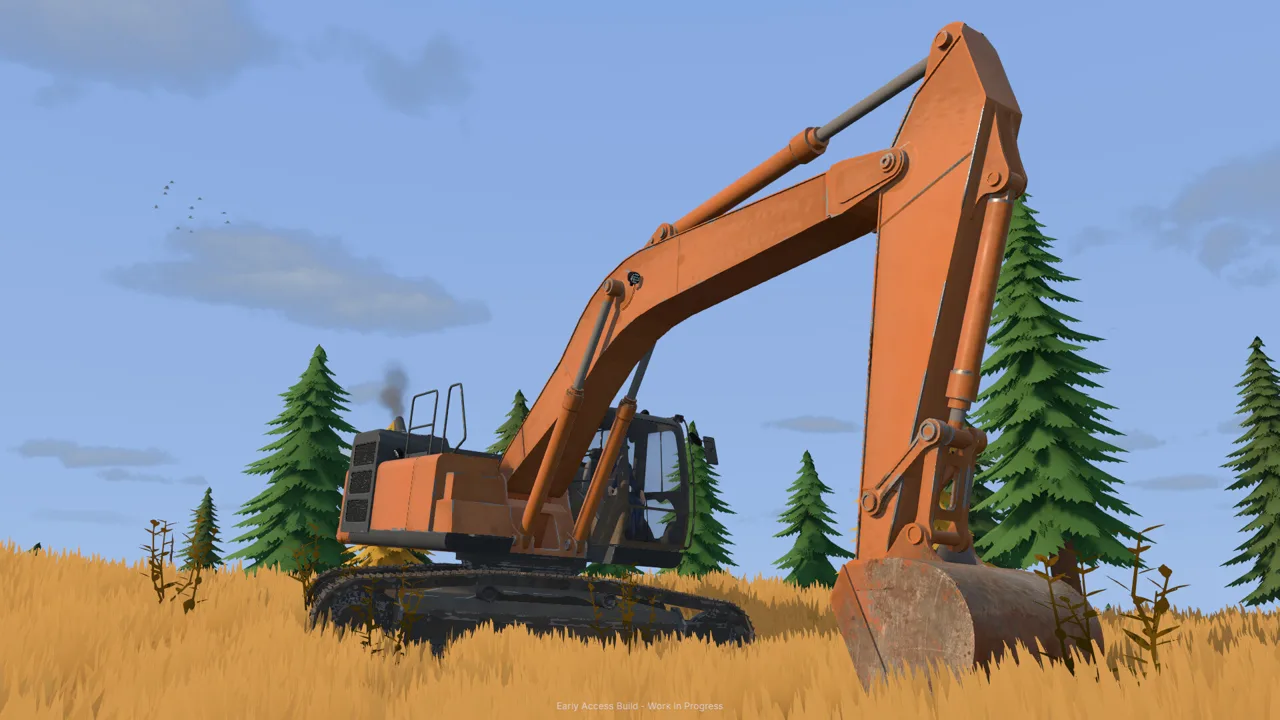 Image: Steam / XYZ STUDIO
Use this loading checklist:
- Choose an open loading area. Leave room around the trailer and the machine approaching it.
- Align the equipment before advancing. Make corrections while you still have space.
- Move onto the trailer carefully. Keep your attention on the machine’s position throughout loading.
- Inspect the departure route. Check the turn out of the loading area before driving away.
- Choose an unloading position near the job. Leave enough room for the delivered machine to move into place.
Keep the destination clear of parked vehicles and stockpiles. Your excavator needs working space, your loader needs access to material, and your truck needs a route back out.
For example, when bringing machinery to a hillside excavation, inspect the approach between the road and the cut. Avoid placing the trailer where unloading would lead directly toward a steep edge or into the excavator’s digging area.
Apply the same planning to processing equipment. Position a mobile trommel with its conveyor approach and water connections in mind. During the starting tutorial, the trommel begins folded for transport and unfolds with K while you stand near its controls.
The loading lesson in this Groundwork Simulator transport guide extends to every delivery: leave the equipment positioned for its next task. Before driving away, check that the unloaded machine has room to work and that the truck can leave without crossing its operating area.
Handle Mud, Slopes, and Tight Turns
Mud, uneven ground, and heavy loads are central transport obstacles. Your excavation also changes the routes around your claim, so a familiar approach deserves another look after substantial digging.
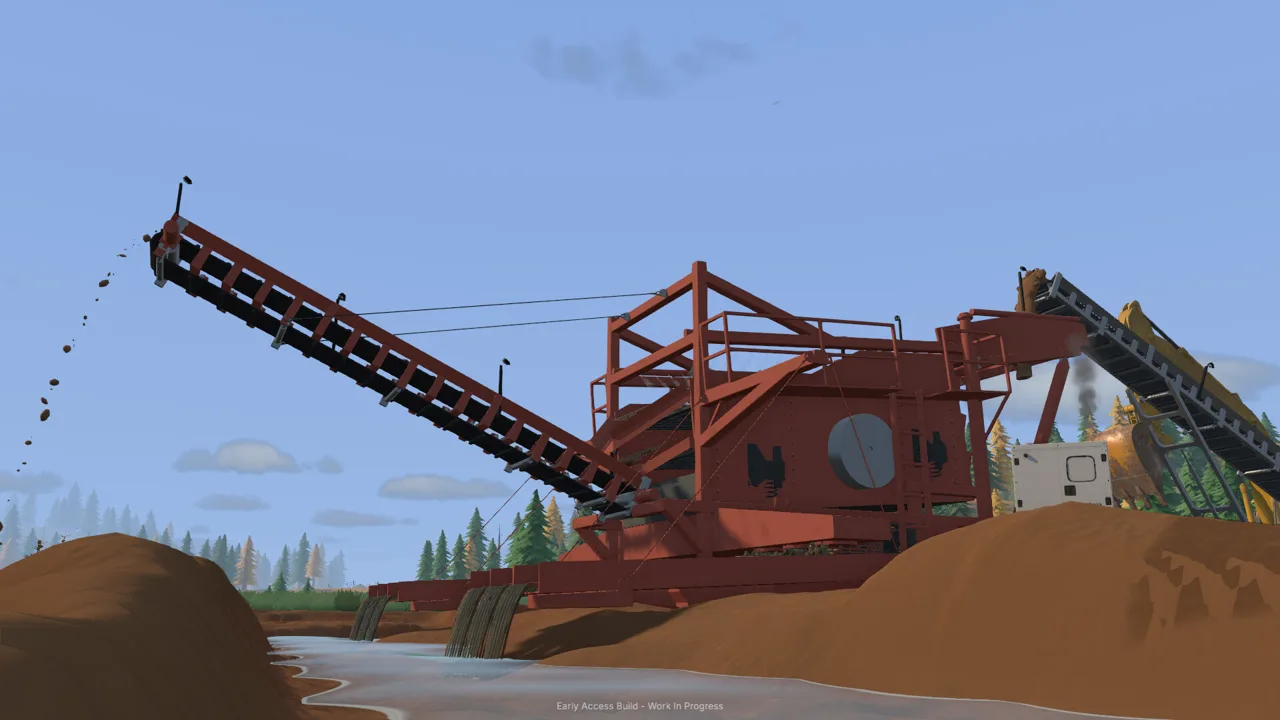 Image: Steam / XYZ STUDIO
Read the terrain before committing the loaded truck:
| Terrain obstacle | What matters during transport |
|---|---|
| Mud | Traction and the truck’s approach |
| Slopes | Route choice with a heavy load |
| Tight turns | Space for the truck and its trailer |
| Rough ground | The condition of the route beneath the vehicle |
| Excavated areas | New cuts, piles, and slopes created by digging |
Use the driving controls in context
The starting tutorial introduces hitching, differential lock, and recovery winch controls. Several keys perform different actions depending on the vehicle or equipment nearby, so read the current control prompt.
| Action | Keyboard input |
|---|---|
| Enter or leave a vehicle | E |
| Hitch or unhitch the starting caravan | G |
| Toggle differential lock | X |
| Access the recovery winch | L |
| Switch between machines | Tab |
The caravan sequence teaches the basic towing routine: reverse toward its drawbar, hitch it, drive to the marked destination, and unhitch once positioned.
For mud, the tutorial instructs you to maintain momentum and introduces differential lock. Plan your approach before entering the soft section. Keep steering corrections controlled, particularly with a trailer following behind.
When stuck, use the recovery winch and follow the connection prompts. Check the displayed attachment controls rather than carrying a remembered input across different vehicle situations.
Repair the route when the ground becomes the problem
Terrain preparation belongs in any Groundwork Simulator transport guide because your machines continually reshape the site. Improve an awkward approach before repeatedly sending loaded vehicles over it.
Use the bulldozer to move material and reshape access. For smaller surface adjustments, the rake provides a way to flatten ground.
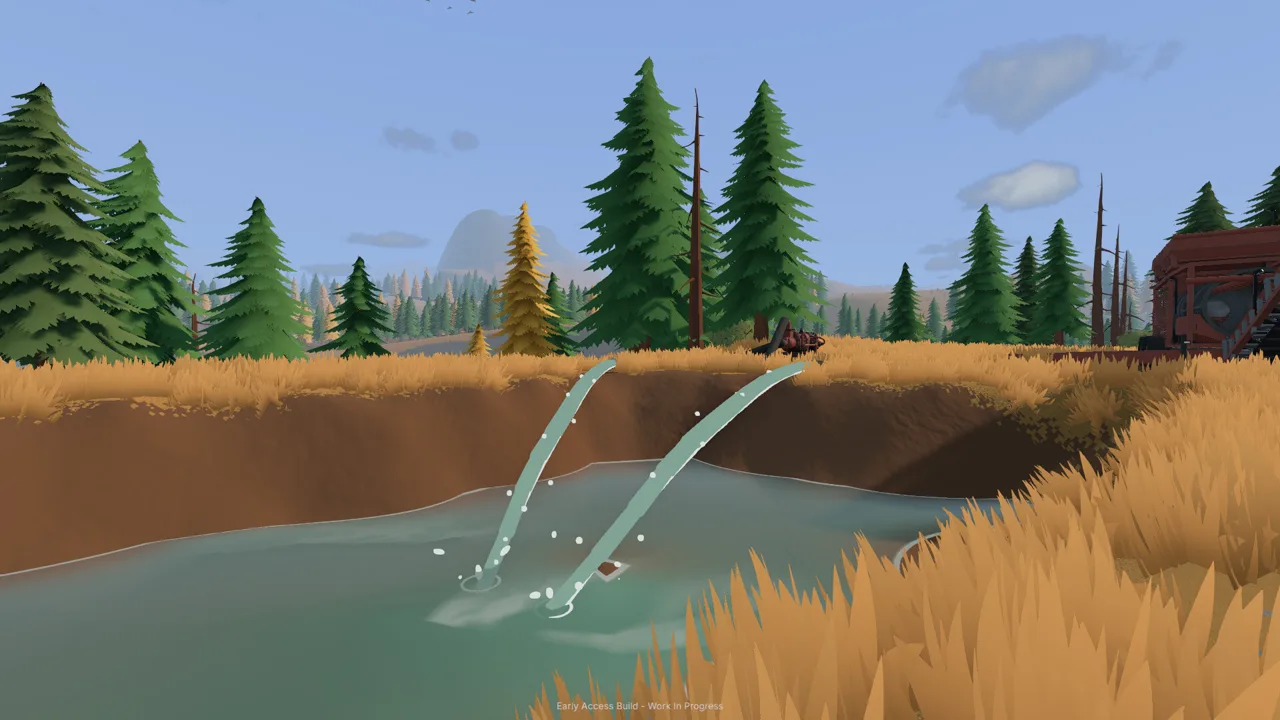
Monitor nearby water, too. A pump left filling the holding pond can flood the surrounding work area. Check the pond before leaving on a delivery, and stop the filling pump when needed.
The pond-filling pump and the pump supplying the trommel perform different jobs. Identify which one you are operating before shutting anything down.
Move Pay Dirt From the Excavator to the Wash Plant
Equipment transport gets your operation into position. Material transport keeps it producing.
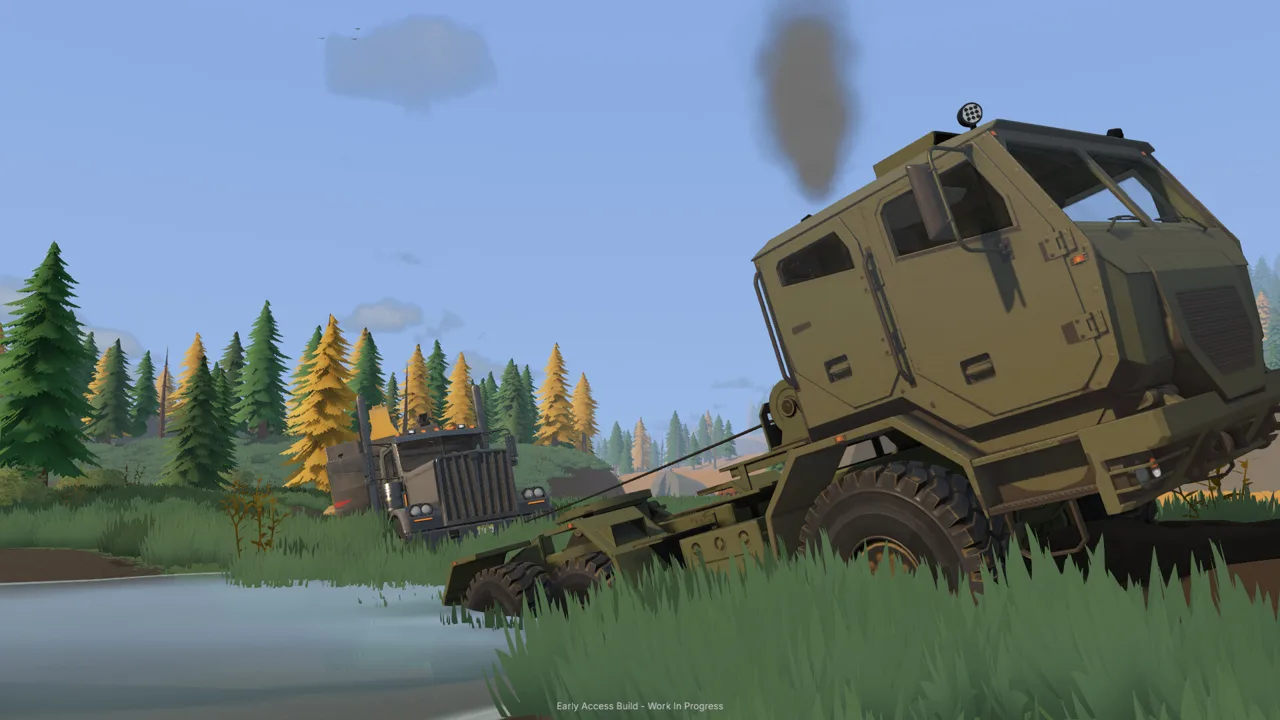 Image: Steam / XYZ STUDIO
The starting workflow uses an excavator, dump truck, stockpile, wheel loader, conveyor, and trommel. Each transfer needs enough space for the next machine to work.
| Stage | Equipment or location | Material movement |
|---|---|---|
| Excavation | Excavator | Dig material and load the dump truck |
| Hauling | Dump truck | Carry the load toward the wash line |
| Stockpiling | Pile beside the gravel path | Deposit material for the loader |
| Feeding | Wheel loader | Scoop from the stockpile and fill the small conveyor hopper |
| Processing transfer | Small conveyor | Feed material into the operating trommel |
Park the dump truck within the excavator’s loading reach. Keep its approach clear so you can return for another load without maneuvering around newly dumped piles.
Watch the load display while filling. The tutorial’s DT44 shows a capacity of 5 cubic meters. Use the displayed amount to judge the load rather than relying entirely on how full the bed looks.
At the stockpile, leave the loader a clear approach to the dirt. Avoid parking the emptied truck between the pile and the conveyor.
Give the loader room to scoop and turn
Keep the stockpile compact and accessible. Position it so the loader can approach the material, lift a bucket, and turn toward the hopper without weaving around other machines.
When dumping the truck, watch the material leave the bed. If the pile obstructs the discharge, move forward carefully to give the remaining dirt room to fall. Lower the bed before returning to the excavation.
With the loader, align the bucket before approaching the hopper. Raise it enough to clear the receiving area, then tip the material into it. Keep the bucket clear of the ground while repositioning so you do not accidentally reshape the access lane.
Start the processing equipment in order
The trommel’s drum and spray bar must be running before the conveyor feeds it. Prepare the water and power supply, start the wash plant, and then run the conveyor.
When the feed finishes, stop the conveyor. Let the remaining material finish processing, then stop the wash plant before emptying the sluice boxes.
For repeated hauling, apply this Groundwork Simulator transport guide as a loop: load, haul, stockpile, feed, and keep the return route open.
Use Machine Transport and Divide the Work in Co-op
The machine transport tool lets you relocate company machinery and trailers without driving each one across the map. Its interface shows a ghost preview of the selected equipment and the price of moving it.
On foot, hold 1 to open the tool dial and select machine transport. Cycle through the available equipment, inspect the preview and displayed price, then follow the placement prompt.
Before placing anything:
- Check that the selected machine is the one you intend to move.
- Inspect the preview’s orientation.
- Leave access around the equipment.
- Position processing machinery around its water supply and feeding route.
- Review the moving price before completing the transfer.
For a generator delivery, place it near the trommel so its power can reach the plant. For a loader relocation, leave room to approach the stockpile. For an excavator, account for both digging space and truck access.
Bring rental equipment to the working area
The tutorial’s hired DR64 arrives in delivery slot one, away from the digging area. Switch to it with Tab, drive it back to the claim, and position its rear over the drilling location.
Before moving between boreholes, retract the drilling equipment as instructed and lift the stabilizers. Read the machine’s current prompts before returning to driving.
When the drilling work is complete, exit the rental and return it through the company fleet menu. Returning the hired drill stops its daily hire charges.
Coordinate transport with your crew
Groundwork Simulator supports solo play and online co-op with up to four players. Divide excavation, hauling, and loader work among your crew.
Have the excavator operator prepare the next load while the truck driver handles the delivery. Let the loader operator manage the stockpile and conveyor approach.
Agree on truck parking and dumping positions before everyone starts moving. Keep waiting vehicles outside the excavator’s working area, and leave the loader’s path to the hopper open.
Use this Groundwork Simulator transport guide to organize those handoffs. Before a truck leaves the cut, check that there is somewhere accessible to dump; before another machine arrives, clear its unloading area.
FAQ
How do you transport heavy machinery in Groundwork Simulator?
Load the machinery onto a trailer, haul it by truck, and unload at the next worksite. Plan around tight turns, slopes, mud, and rough terrain. The machine transport tool also relocates company equipment through a placement preview with a displayed moving price.
Which controls matter in a Groundwork Simulator transport guide?
The starting keyboard controls include E for entering and leaving vehicles, G for hitching and unhitching the caravan, X for differential lock, L for the recovery winch, and Tab for switching machines. Follow the active prompts for contextual actions.
How do you carry dirt to the wash plant?
Load the dump truck with the excavator, haul the material to a stockpile, and use the wheel loader to fill the small conveyor hopper. Start the trommel before feeding it with the conveyor.
Can you share hauling duties with friends?
Yes. Online co-op supports up to four players. Split excavation, truck driving, and loader work among the crew, and keep the loading area, stockpile approach, and return route clear.
Continue with
 Groundwork Simulator Trucks: Hauling and Driving GuideLearn how Groundwork Simulator trucks handle dirt hauling, heavy trailers, mud, and drilling. Plan your routes and keep your gold mining operation moving.
More in Transport
Groundwork Simulator Machinery Loading: Hauling Guide
Groundwork Simulator machinery loading starts with alignment and route planning. Learn to prepare your site, haul heavy equipment, and unload with care.
Groundwork Simulator Trailers: Loading and Hauling Guide
Groundwork Simulator trailers move heavy machinery between worksites. Learn loading basics, route planning, and transport tips for your next mining move.
Continue exploring
Join the community
Official channels for news, updates and player help: