
Early access · Release date: October 22, 2026
UpdatedGroundwork Simulator Machinery Loading: Hauling Guide
Groundwork Simulator machinery loading starts with alignment and route planning. Learn to prepare your site, haul heavy equipment, and unload with care.
Jump to
How to Load and Transport Heavy Machinery
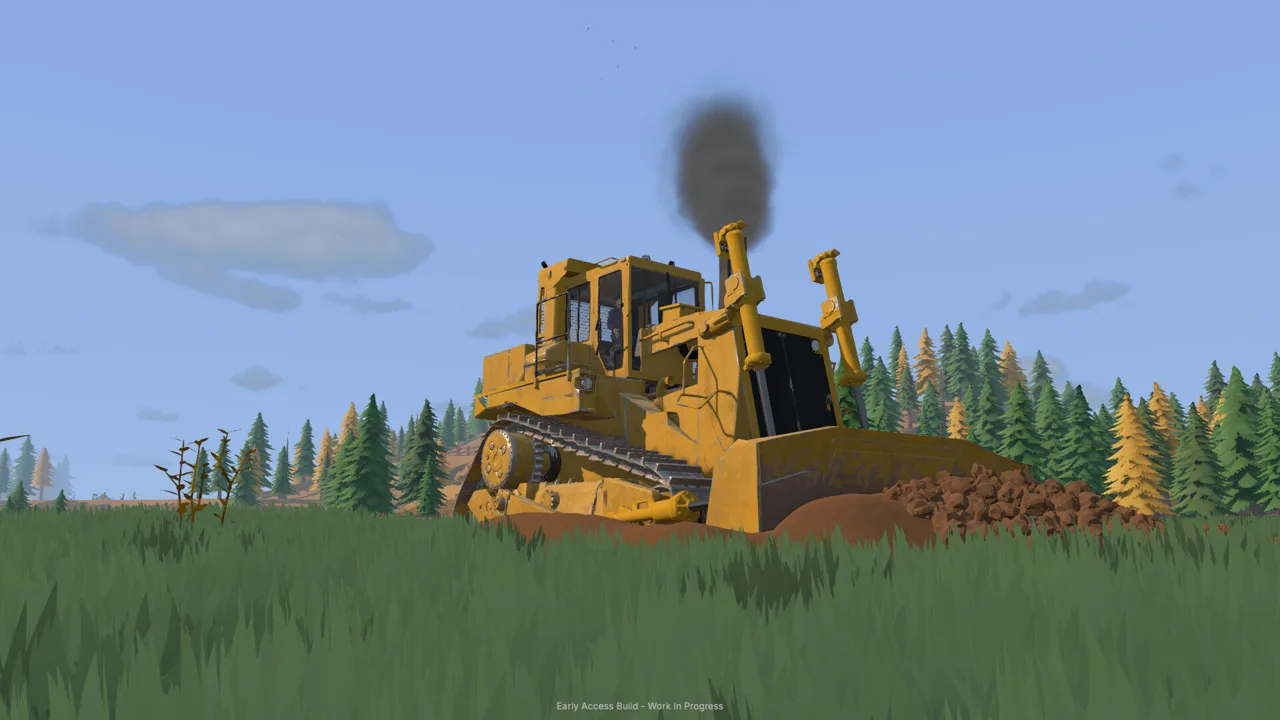
Groundwork Simulator machinery loading starts before your machine reaches the trailer. A clear approach and a route planned around heavy hauling help you move equipment to the ground you want to work. Treat Groundwork Simulator machinery loading as part of site preparation, with the loading area, journey, and unloading space planned together.
The transport loop is straightforward: load heavy machinery onto a trailer, haul it by truck, and unload at your next worksite. The challenge comes from lining up your equipment and navigating a landscape filled with tight turns, slopes, mud, and rough ground.
Your work also changes that landscape. Excavating a hillside or building a pile can alter the approach you intended to use later. Plan the entire move before committing the truck and trailer to a narrow work area.
| Transport stage | Your objective | Planning tip |
|---|---|---|
| Loading | Move heavy machinery onto the trailer | Leave room to line up before approaching |
| Hauling | Transport the equipment by truck | Choose a route around difficult turns and terrain |
| Unloading | Get machinery into the next work area | Pick a destination with space to begin working |
Line Up Before Moving Onto the Trailer
Start with the loading approach. Position the truck and trailer where your machine has room to line up, then approach in line with the trailer.
Keep your corrections deliberate. If the approach becomes awkward, reposition and line up again before continuing. Avoid trying to solve a poor approach by crowding the trailer with more machinery or surrounding it with material piles.
Think about the truck’s departure, too. Before loading, look at where the truck will go next and how much turning space that direction requires. Leave an open path from the loading area to your haul route.
For Groundwork Simulator machinery loading, preparation connects both ends of the move: the machine needs a workable approach onto the trailer, and the loaded truck needs a workable exit.
Official page: Groundwork Simulator (store.steampowered.com)
Prepare a Loading Area That Stays Usable
The ground beneath your operation keeps changing. Every bucket removes material or adds it somewhere else, creating new slopes, piles, and routes. A loading area that works before excavation deserves another look after you have reshaped the surrounding terrain.
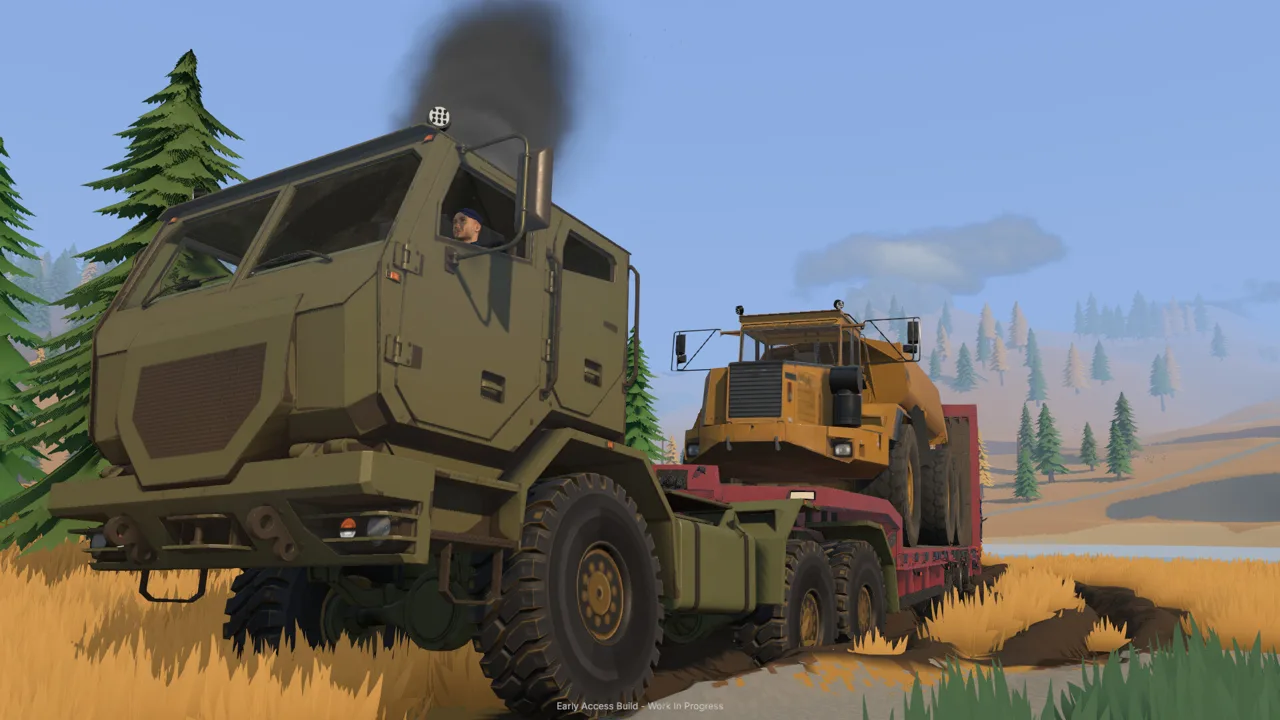 Image: Steam / XYZ STUDIO
Reserve space for transport when planning your digging area. Keep the trailer approach away from the cuts and piles you intend to expand, and leave enough open ground to maneuver between the excavation area and the loading position.
| Site feature | What it means for transport | Preparation tip |
|---|---|---|
| Excavated trenches | Digging changes the ground around your route | Preserve an approach outside the planned cut |
| Material piles | Deposited soil changes the worksite layout | Place piles away from loading and turning areas |
| Slopes | Changes in elevation complicate heavy hauling | Inspect the approach before bringing in equipment |
| Mud and rough ground | Traction becomes part of route selection | Improve troublesome ground before continuing |
Groundwork Simulator machinery loading fits naturally into the same planning you use for excavation. Before removing a section of hillside, consider how your equipment will leave when that digging position is finished.
For example, picture an excavator working into a slope with a material pile growing nearby. Before extending either the cut or the pile, check the route back toward the trailer. Keep that connection open as the work area develops.
Apply the same thinking around your washing setup. Pumps, hoses, processing equipment, and transport all need space within the site. Plan vehicle access alongside those connections so that expanding the operation does not leave you reconsidering the entire layout.
When the ground itself becomes the obstacle, pause the move and improve the route. Terrain preparation is part of the work.
Plan the Haul Around Turns, Slopes, and Mud
Once the machine is loaded, your attention shifts to the truck, trailer, and route ahead. Tight corners, elevation changes, and rough surfaces all matter when you have heavy machinery behind you.
 Image: groundworksimulator.com
Choose your route for the complete truck-and-trailer combination. Look beyond whether the truck can enter a passage: consider the turn into it, the terrain through it, and the space available at the other end.
| Route challenge | What to assess | Driving tip |
|---|---|---|
| Tight turns | Space through the entire corner | Approach deliberately and leave room for the trailer |
| Slopes | The approach and ground beyond the grade | Choose your line before committing |
| Mud | Traction along the intended path | Reconsider the route when the ground becomes difficult |
| Rough terrain | Uneven ground between loading and unloading | Improve the surface where necessary |
Look Past the Next Obstacle
Plan connected sections of the journey. A corner followed immediately by a slope asks you to think about both features together. Set up the turn with the following approach in mind instead of treating each obstacle as an isolated task.
Keep your driving measured through complicated ground. Give yourself time to read the route and adjust your approach before the truck and trailer reach the difficult section.
Groundwork Simulator machinery loading also benefits from planning the destination before departure. Decide where the truck will stop, where the machine will unload, and how that machine will reach its working position.
Reassess Routes After Excavation
Check familiar routes again after substantial digging. A path beside an excavation can change as the cut grows, and a convenient turning area can become a material pile.
Before another equipment move, inspect the sections your work has changed. Move the loading position or improve the ground when necessary.
For example, if a direct approach now runs beside a steeper cut, compare it with another route through the site. Choose the approach that gives you manageable terrain and room to maneuver. Keep the decision tied to the current landscape.
Unload With the Next Job in Mind
Choose an unloading area that connects your equipment to its actual task. For an excavator, consider the route toward the digging position. For a bulldozer, think about the ground that needs reshaping. Around the washing operation, preserve access for material movement.
 Image: Steam / XYZ STUDIO
Avoid planning the destination around distance alone. Consider the slope, available working space, and truck access together before choosing where to unload.
Groundwork Simulator machinery loading works as a complete transport cycle. The unloading location determines what happens immediately after the haul, so give it the same attention as the original approach.
Before arriving, review the destination:
- Identify the ground where the machine will work.
- Inspect the approach for mud, slopes, and rough terrain.
- Leave space between the unloading area and nearby piles or excavations.
- Plan how the truck and trailer will leave afterward.
- Keep access open to the wash plant and water equipment.
Once unloaded, move into the work area with the next operation already in mind. If the job involves excavation, consider where the removed material will go. If it involves terrain preparation, identify the route or working area that needs attention.
Keep the truck’s exit in that plan. Place new piles and extend excavations with future transport in mind, including the eventual move away from this worksite.
This becomes especially useful as a site grows. Revisit the unloading area when you expand the digging zone or rearrange the washing operation, and keep machinery access part of each layout decision.
Coordinate Transport With Your Mining Operation
Transport supports the larger cycle of finding promising ground, excavating material, and processing it for gold. Explore and test deposits, choose where to dig, and organize your machinery around the work that follows.
Groundwork Simulator includes excavators, wheel loaders, and bulldozers, alongside truck-and-trailer transport. Washing involves a wash plant, sluice boxes, and a shaking table, with pumps and hoses supplying water.
| Operation | Equipment or activity involved | Coordination tip |
|---|---|---|
| Ground exploration | Drilling and testing deposits | Choose the digging area before arranging its transport access |
| Excavation | Digging and reshaping terrain | Preserve routes as cuts and piles develop |
| Equipment transport | Truck and trailer | Plan loading and unloading space around the worksite |
| Gold processing | Wash plant, sluice boxes, shaking table | Keep material access in mind when positioning the setup |
| Water supply | Pumps and hoses | Plan connections alongside the site layout |
Plan Solo Work Around the Whole Move
When playing solo, decide what the machine will do after delivery before starting the haul. Inspect the destination, consider the ground preparation it needs, and identify the equipment required for the next task.
Keep Groundwork Simulator machinery loading connected to that immediate objective. If you are moving equipment toward a new excavation area, review both its working position and the route for moving material toward processing.
Excavation also requires attention to bucket angle and available hydraulic power. Give the machine room to work once it reaches the destination, with space for the terrain changes that repeated digging will create.
Divide Responsibilities in Online Co-op
Online co-op lets you share the operation. You can handle excavation while a friend manages transport, or you can coordinate material movement between the digging area and wash plant.
Agree on the loading position, destination, and route before starting an equipment move. Tell your partner when you plan to change a cut, build a pile, or improve an access road.
Keep those plans current as the landscape changes. Before the transport player returns, discuss any digging that affects the approach. Before expanding the washing setup, work out how equipment and material will continue moving through the area.
Use each haul to support a specific job, and keep the site accessible for the move after it.
FAQ
How does Groundwork Simulator machinery loading work?
Load heavy machinery onto a trailer, haul it by truck, and unload at your next worksite. Plan the loading alignment, haul route, and destination together, paying attention to turns, slopes, mud, and rough terrain.
Can you transport a bulldozer by truck?
Yes. Groundwork Simulator features a heavy truck transporting a bulldozer on a low-loader trailer. Inspect the route and unloading area before moving the equipment to its next job.
Why should you check a haul route after digging?
Excavation changes the terrain. Cuts, trenches, and material piles can alter slopes and access routes. Revisit the approach after reshaping nearby ground, and improve difficult sections before hauling heavy machinery through them.
Can you handle transport while a friend excavates?
Yes. Online co-op supports dividing work between excavation and transport. Coordinate loading locations and routes so both players can keep working as the digging area and washing operation develop.
Continue with
 Groundwork Simulator Trailers: Loading and Hauling GuideGroundwork Simulator trailers move heavy machinery between worksites. Learn loading basics, route planning, and transport tips for your next mining move.
More in Transport
Groundwork Simulator Transport Guide: Haul Machines
Use this Groundwork Simulator transport guide to move heavy machines, manage muddy routes, haul pay dirt, and keep your gold mining operation running.

Groundwork Simulator Trucks: Hauling and Driving Guide
Learn how Groundwork Simulator trucks handle dirt hauling, heavy trailers, mud, and drilling. Plan your routes and keep your gold mining operation moving.
Continue exploring
Join the community
Official channels for news, updates and player help: